User Guide: Upload CSV for Batch Device Addition
Overview
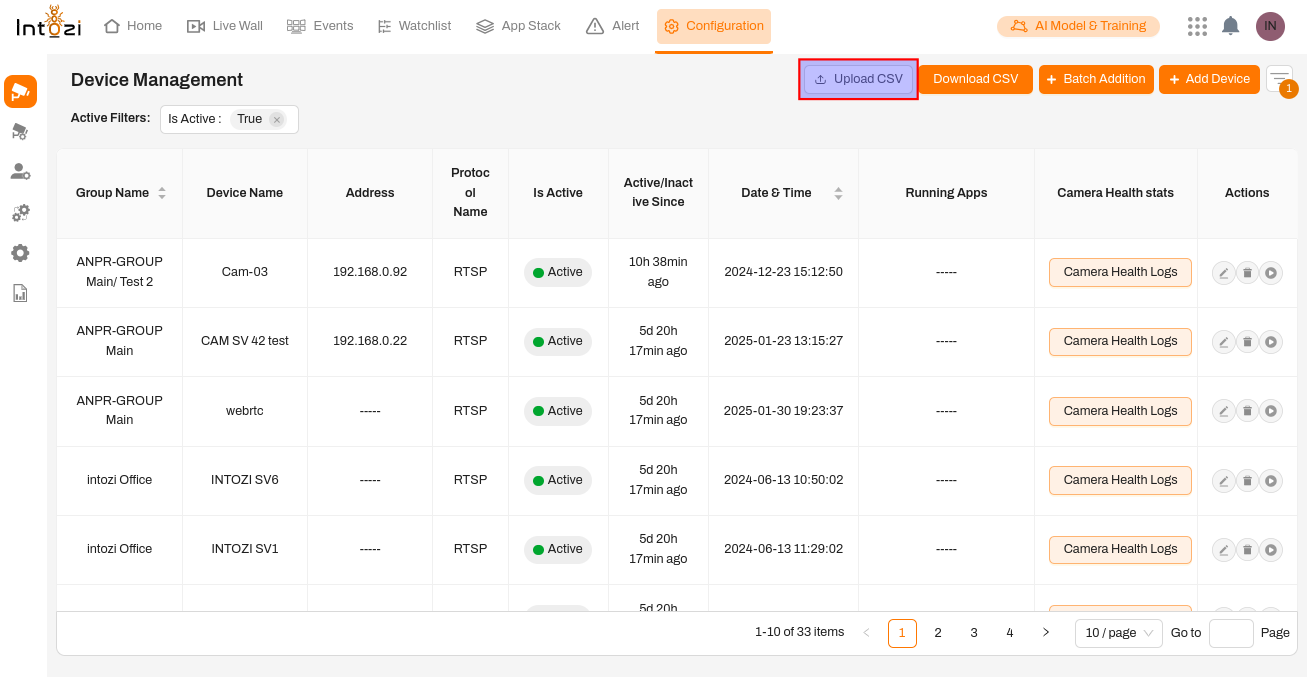 The Upload CSV feature in the Device Management module enables users to efficiently add multiple devices in bulk. This functionality simplifies device onboarding, ensuring seamless integration for large-scale deployments.
Steps to Upload a CSV File
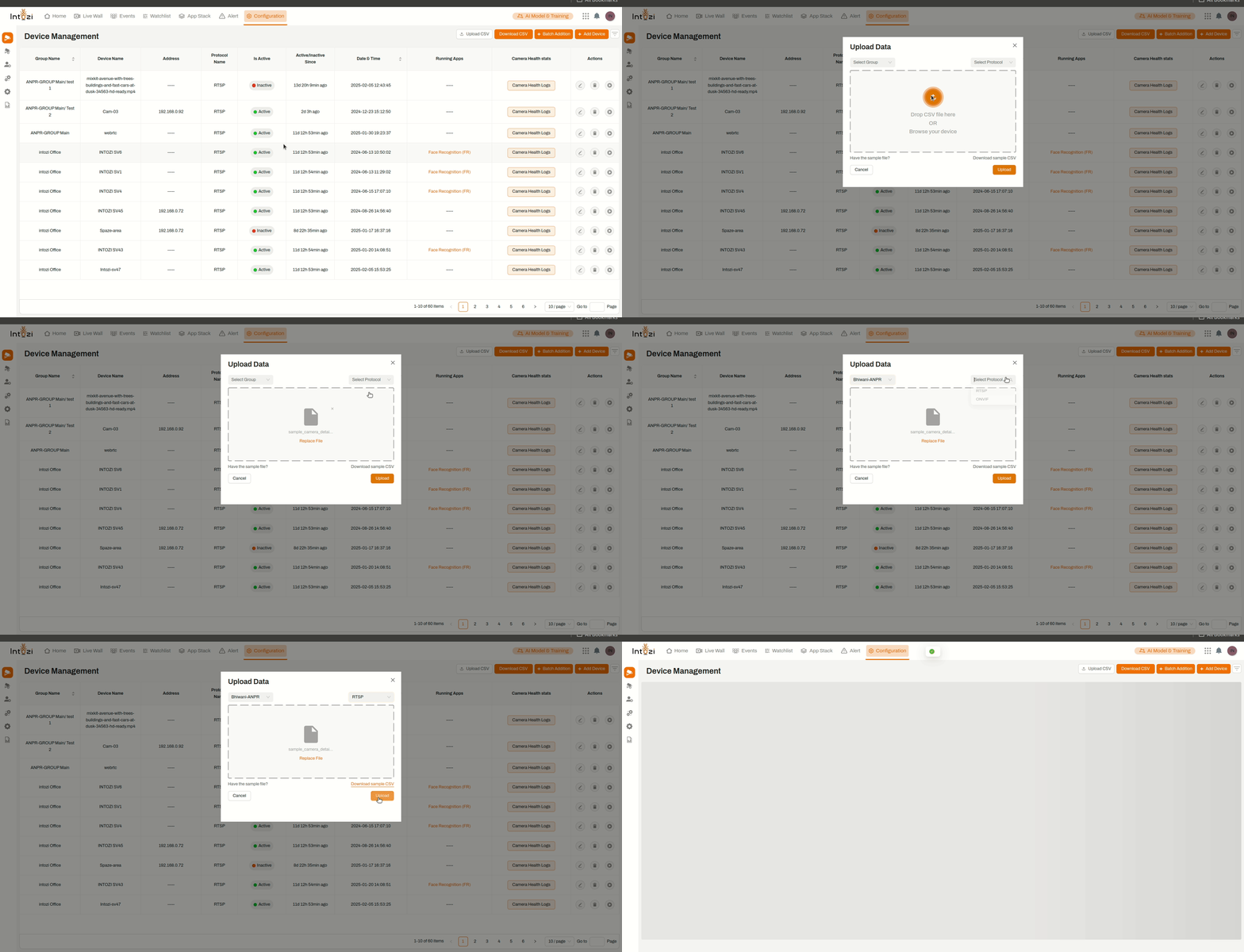
1. Accessing the Upload CSV Feature
- Navigate to the Configuration tab in the application.
- Click on the Upload CSV button located in the top-right corner.
- A pop-up window labeled Upload Data will appear.
2. Selecting the Device Group
- Click on the Select Group dropdown menu.
- A list of available groups will be displayed.
- Choose the appropriate group where the devices should be added.
3. Choosing the Protocol
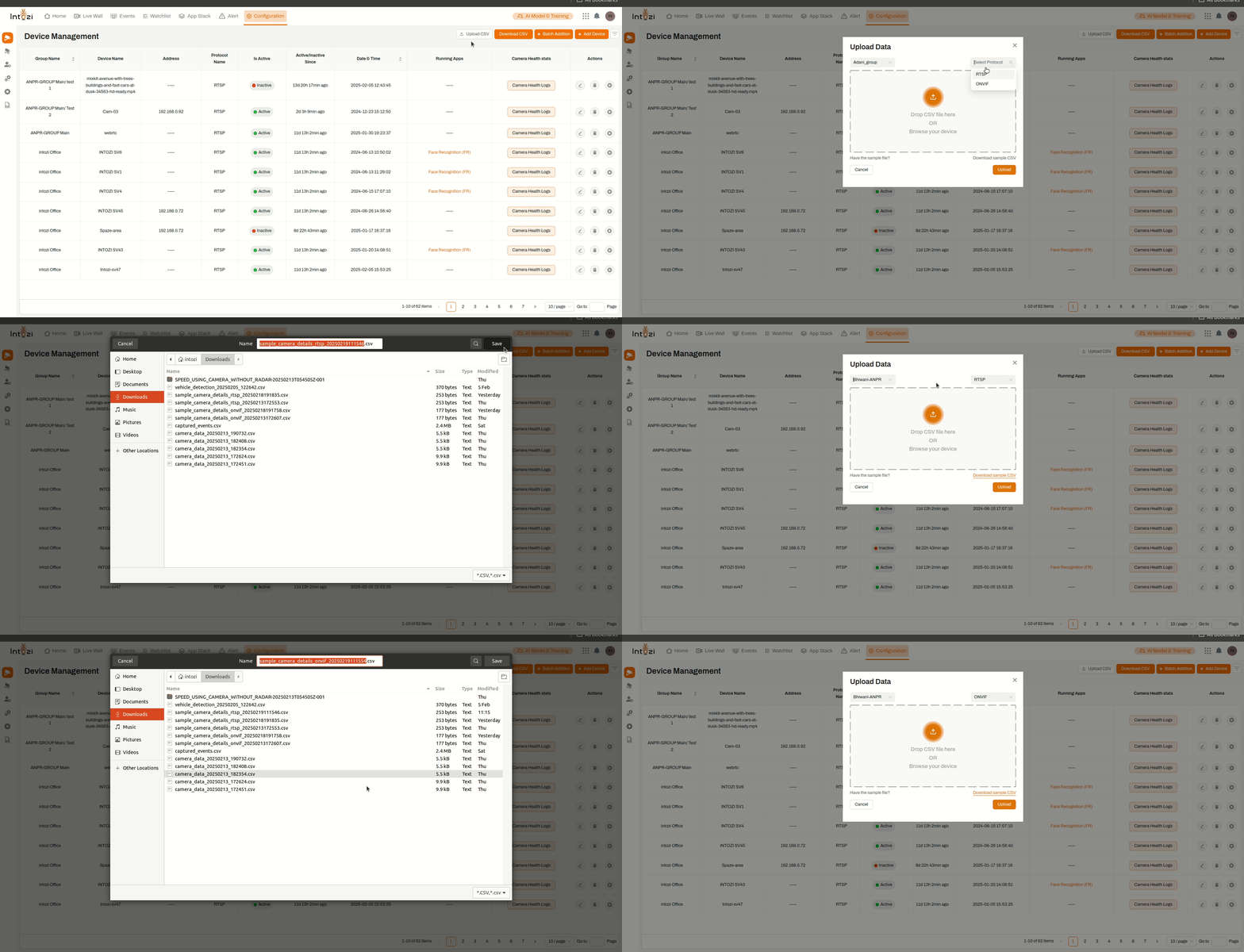
- Click on the Select Protocol dropdown menu.
- Two options will be available:
- ONVIF (for ONVIF-compliant IP cameras)
- RTSP (for devices using RTSP streaming)
- Select the correct protocol based on your device type.
4. Uploading the CSV File
- Drag & Drop the CSV file into the designated area, OR
- Click Browse your device to manually select the file.
- Ensure the CSV file follows the correct format for ONVIF or RTSP cameras (see formatting details below).
- Click the Upload button to start the process.
5. Validating and Processing the Upload
- The system will validate the CSV file structure and content.
- If the file is correctly formatted, the devices will be added to the selected group.
- If errors occur, the system will display relevant messages, allowing you to correct the issues before retrying.
CSV File Formatting Guide
ONVIF Camera Format
For ONVIF devices, the CSV file should follow this structure:
Hostname,Port,Username,Password,Device Name,Latitude,Longitude
192.168.0.2,80,admin,admin,Test Camera,27.7172,85.324
192.168.0.3,80,admin,admin,Test Camera2,27.7172,85.324
RTSP Camera Format
For RTSP devices, the required CSV format is as follows:
Hostname,Port,Main Stream URL,Sub Stream URL,Latitude,Longitude,Device Name
192.168.0.2,554,rtsp://test@test:554,rtsp://test@test:554,27.7172,85.324,Test Camera
192.168.0.3,555,rtsp://test@test:555,rtsp://test@test:555,27.7172,85.324,Test Camera2
Additional Features
✅ Download Sample CSV – Click the Download Sample CSV link to get a pre-formatted template.
✅ Error Handling – The system provides real-time feedback for incorrect entries.
✅ Bulk Processing – Efficiently upload multiple devices in one step.
Conclusion
The Upload CSV feature streamlines the process of adding multiple devices, making deployment faster and more efficient. By selecting the correct Group and Protocol, and ensuring a properly formatted CSV file, users can successfully integrate large numbers of devices with minimal effort. 🚀