Auto-Deletion Feature - User Guide
Overview
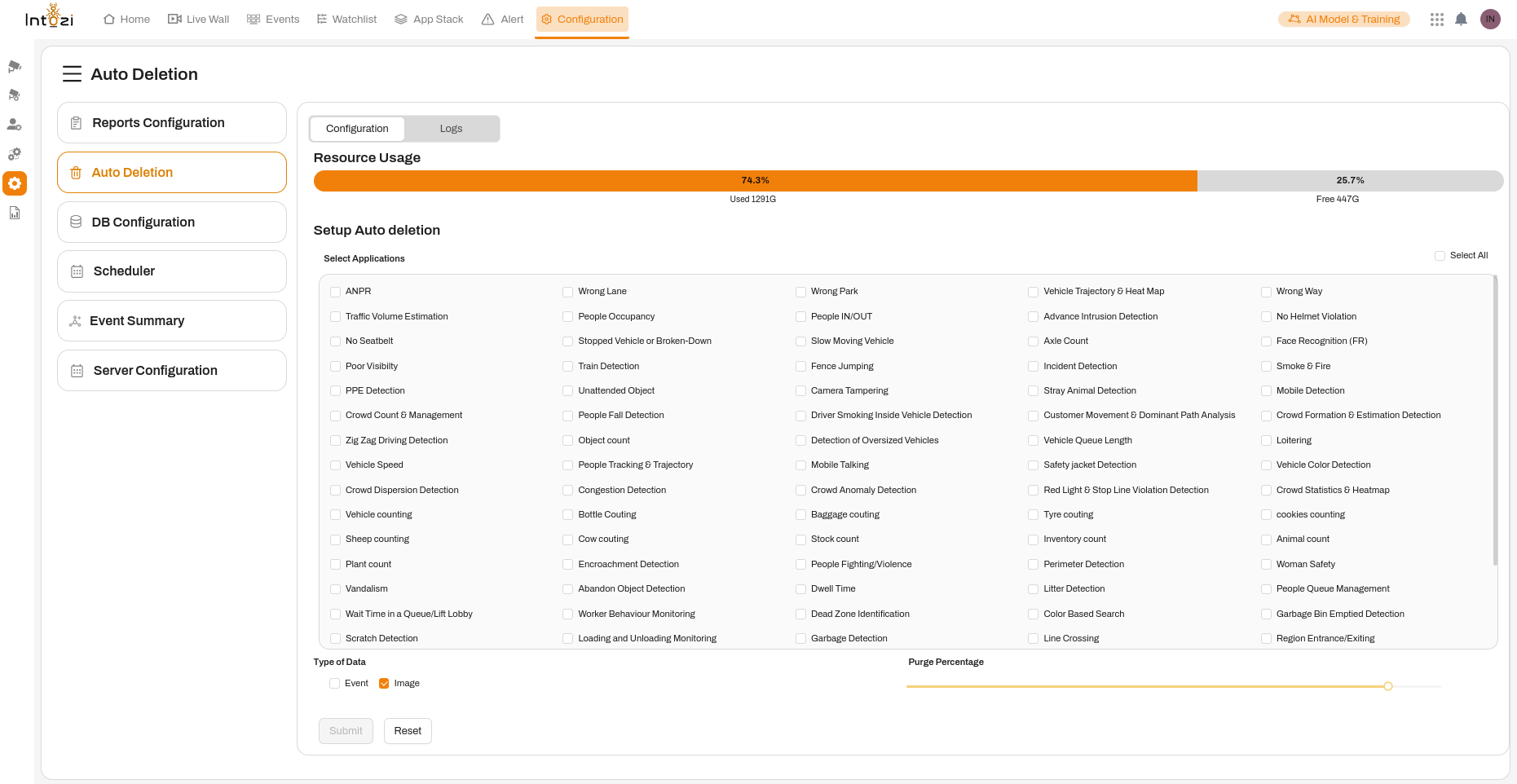
The Auto-Deletion feature is designed to efficiently manage and optimize storage by automatically removing outdated event data. Since event data is captured daily, and storage space is limited, this feature ensures smooth operation by systematically deleting older data based on user-defined preferences. Additionally, users can track deleted records through detailed logs.
Accessing the Auto-Deletion Feature
To configure auto-deletion settings, follow these steps:
- Navigate to the Configuration section within the application.
- Click on Auto Deletion from the left-hand navigation menu.
Configuration Settings
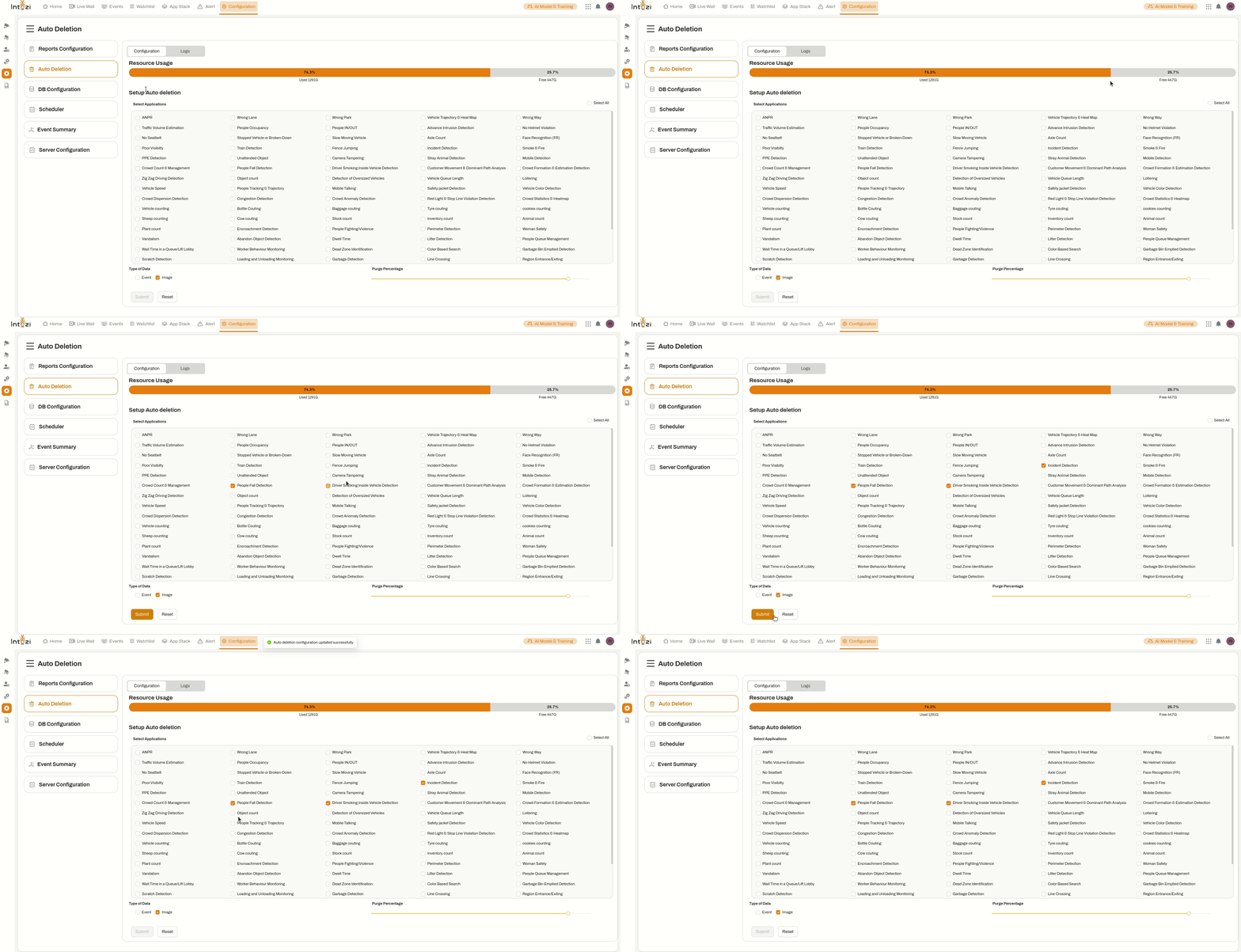
1. Resource Usage Monitoring
- Displays total storage utilization.
- Provides real-time insights into used and available storage percentages, ensuring proactive data management.
2. Auto-Deletion Setup
- Users can select specific applications for automatic data deletion.
- A comprehensive list of applications is displayed, allowing users to enable deletion via checkboxes.
- Users have the option to delete Event Data and/or Image Data.
- The Purge Percentage slider allows users to define the percentage of data to be deleted periodically.
3. Actions
- Submit: Saves and applies the configured auto-deletion preferences.
- Reset: Clears all selected configurations, allowing users to redefine settings.
Reviewing Deletion Logs
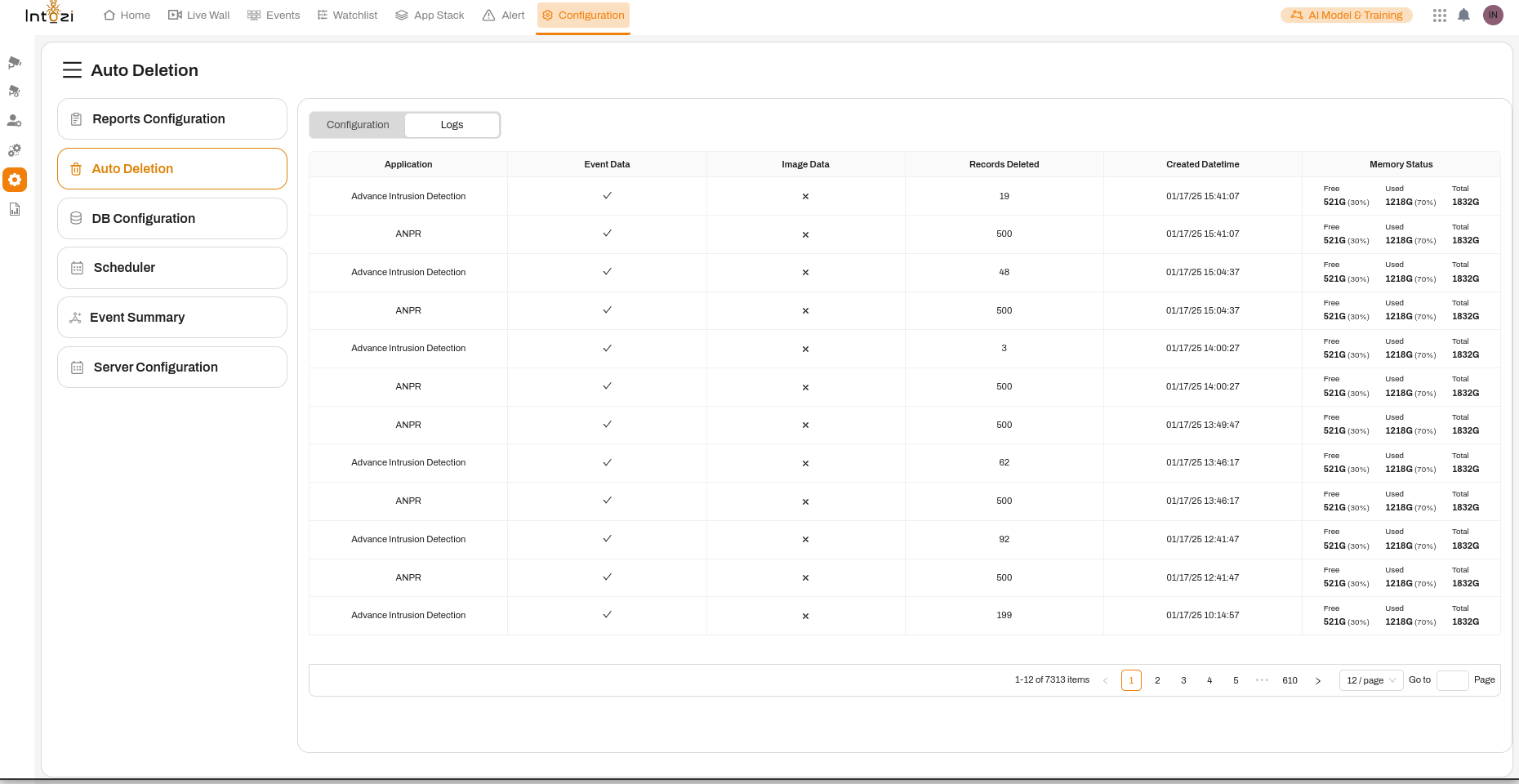
Users can monitor deleted records through the Logs section, which provides the following details:
- Application Name: Identifies the application whose data was deleted.
- Event Data Status: Indicates whether event data has been deleted (✓) or retained (✗).
- Image Data Status: Indicates whether image data has been deleted (✓) or retained (✗).
- Records Deleted: Displays the number of records removed.
- Created Datetime: Shows the timestamp when the deletion occurred.
- Memory Status: Displays an overview of free and used storage, helping users track resource availability.
Users can navigate through multiple pages to review historical deletion records.
Key Benefits of Auto-Deletion
✅ Optimized Storage: Prevents storage overflow by systematically removing outdated data.
✅ Customizable Settings: Users have full control over which applications and data types should be deleted.
✅ Enhanced Transparency: Logs provide a clear and detailed view of deleted records for audit and reference purposes.
By leveraging this feature, users can maintain optimal system performance and ensure efficient storage management while retaining control over their data retention policies.