Home Page User Guide
Introduction
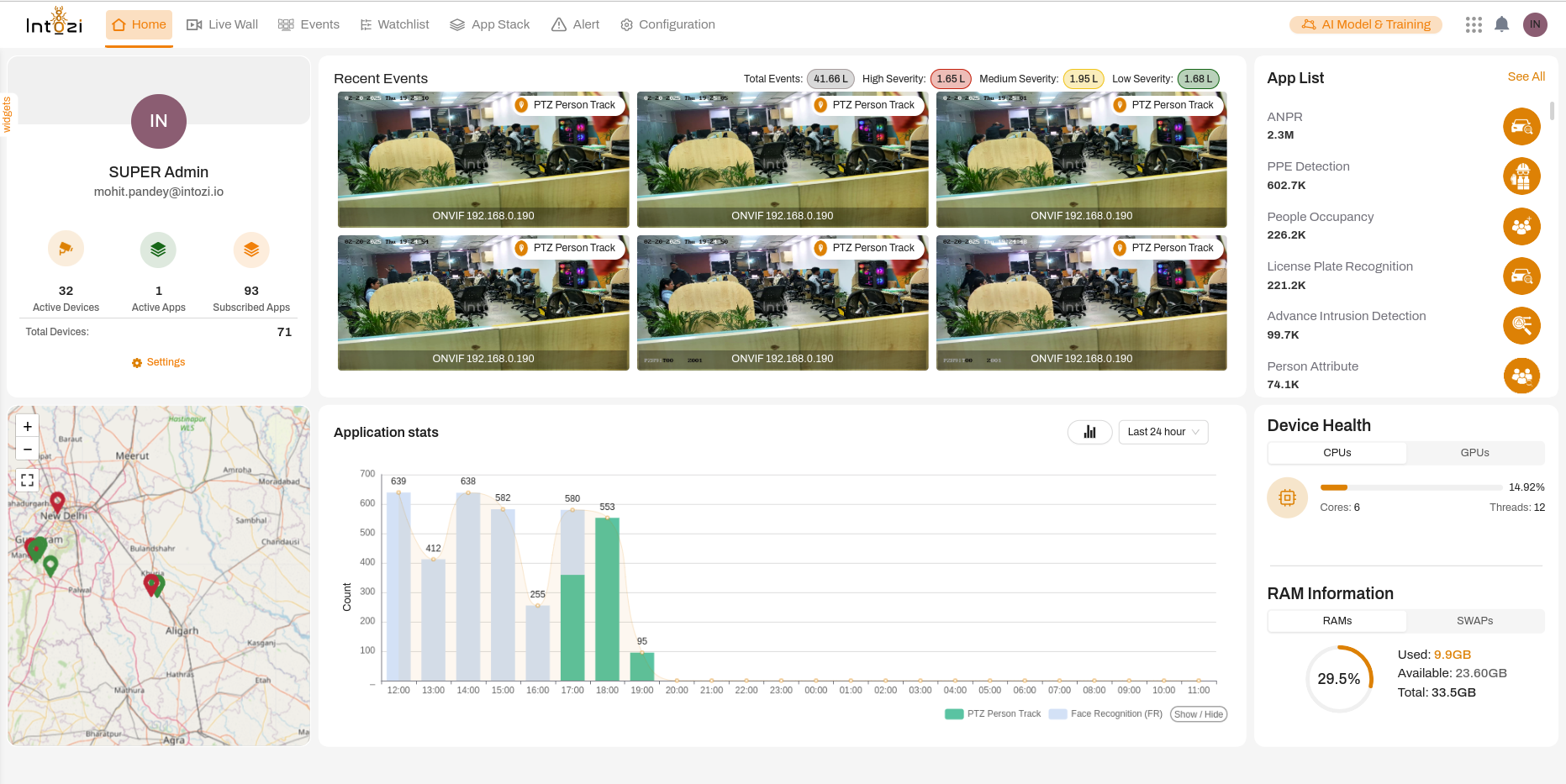
The Home Page of the Intozi application serves as the central control panel, offering a comprehensive overview of real-time events, device health, AI analytics, and system performance. It is designed to provide a seamless user experience, allowing administrators and users to monitor, analyze, and optimize operations efficiently. This guide provides a detailed breakdown of each section of the Home Page and its functionalities.
1. Navigate the Navigation Bar
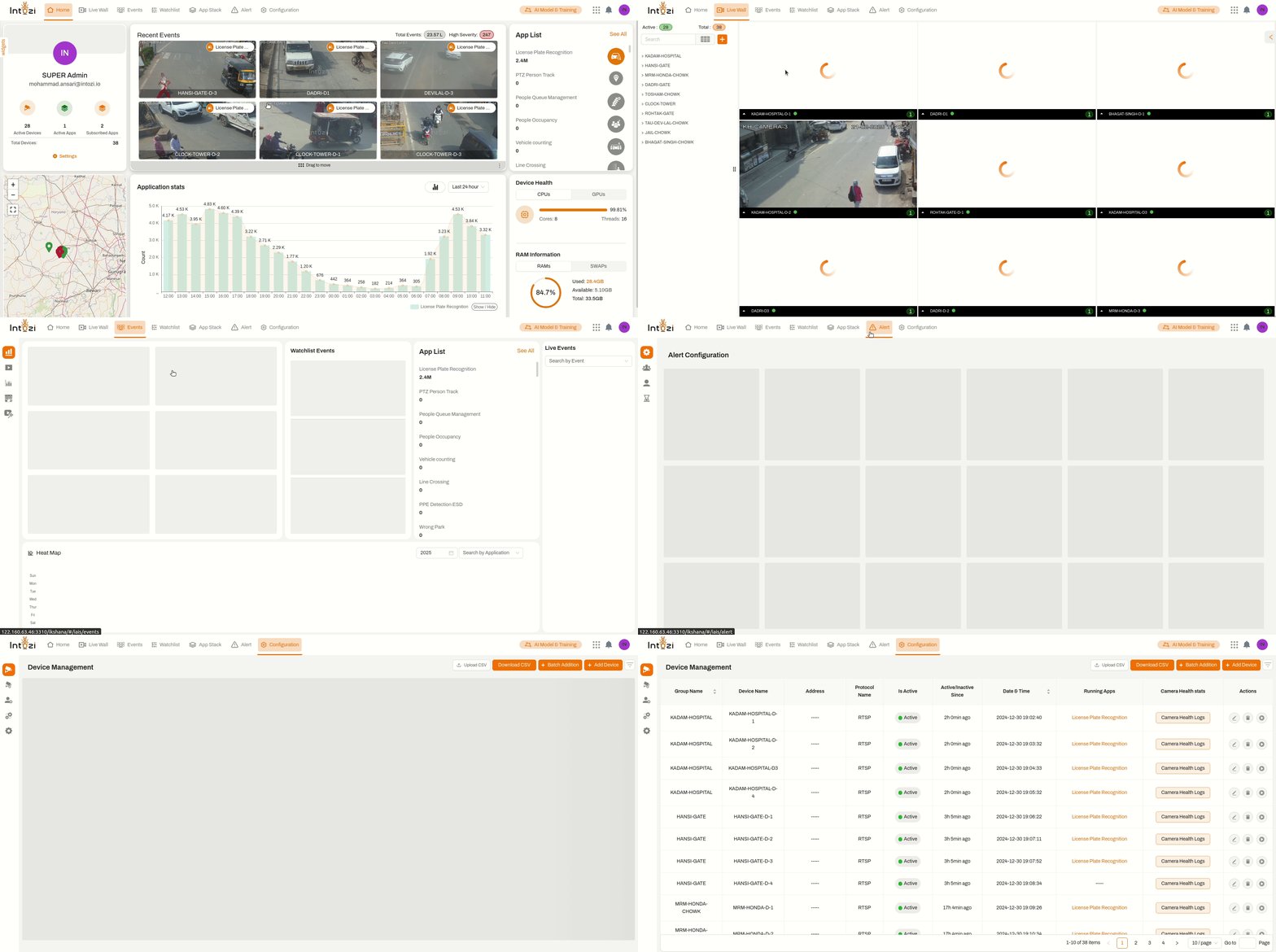
- The top menu bar enables users to access different sections of the application:
- Home: Redirects to the main dashboard with real-time insights.
- Live Wall: Provides access to live surveillance feeds from connected cameras.
- Events: Displays AI-detected security events, categorized by severity.
- Watchlist: Manages lists of monitored individuals, vehicles, or objects.
- App Stack: Allows access to AI-powered applications for security and monitoring.
- Alert: Displays real-time alerts triggered by AI-based detections.
- Configuration: Provides system settings and device management options.
2. Access the User Profile & Widgets Panel
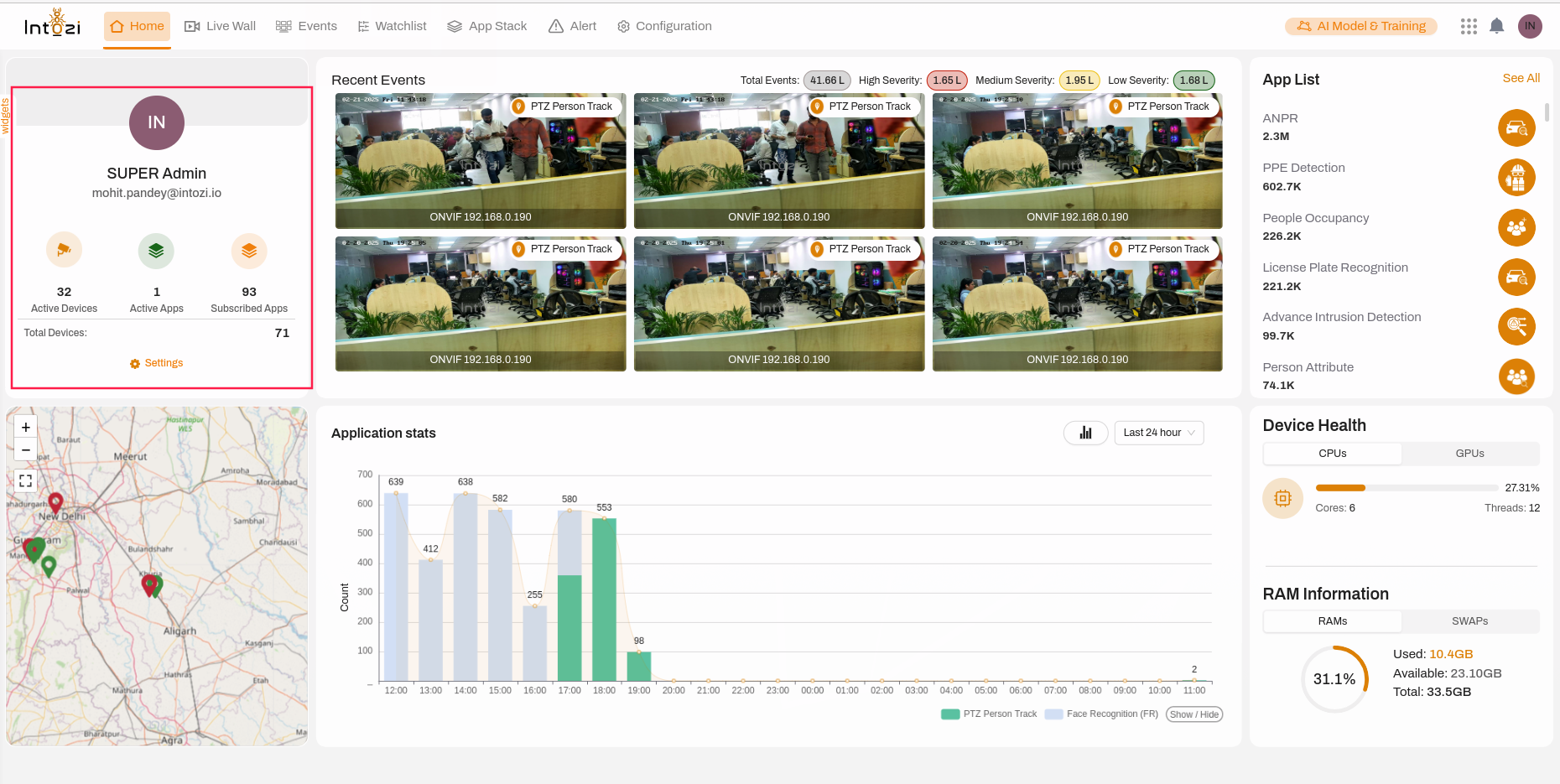
- Located on the left-hand side, this panel provides quick access to:
- User Information: Displays the logged-in user’s role and email.
- System Overview:
- Active Devices: Number of devices currently in operation.
- Active Apps: Number of AI applications actively running.
- Subscribed Apps: Total number of subscribed AI applications.
- Total Devices: Overall registered devices within the system.
- Settings: Click to modify profile details and system preferences.
Dynamic & Customizable Widgets
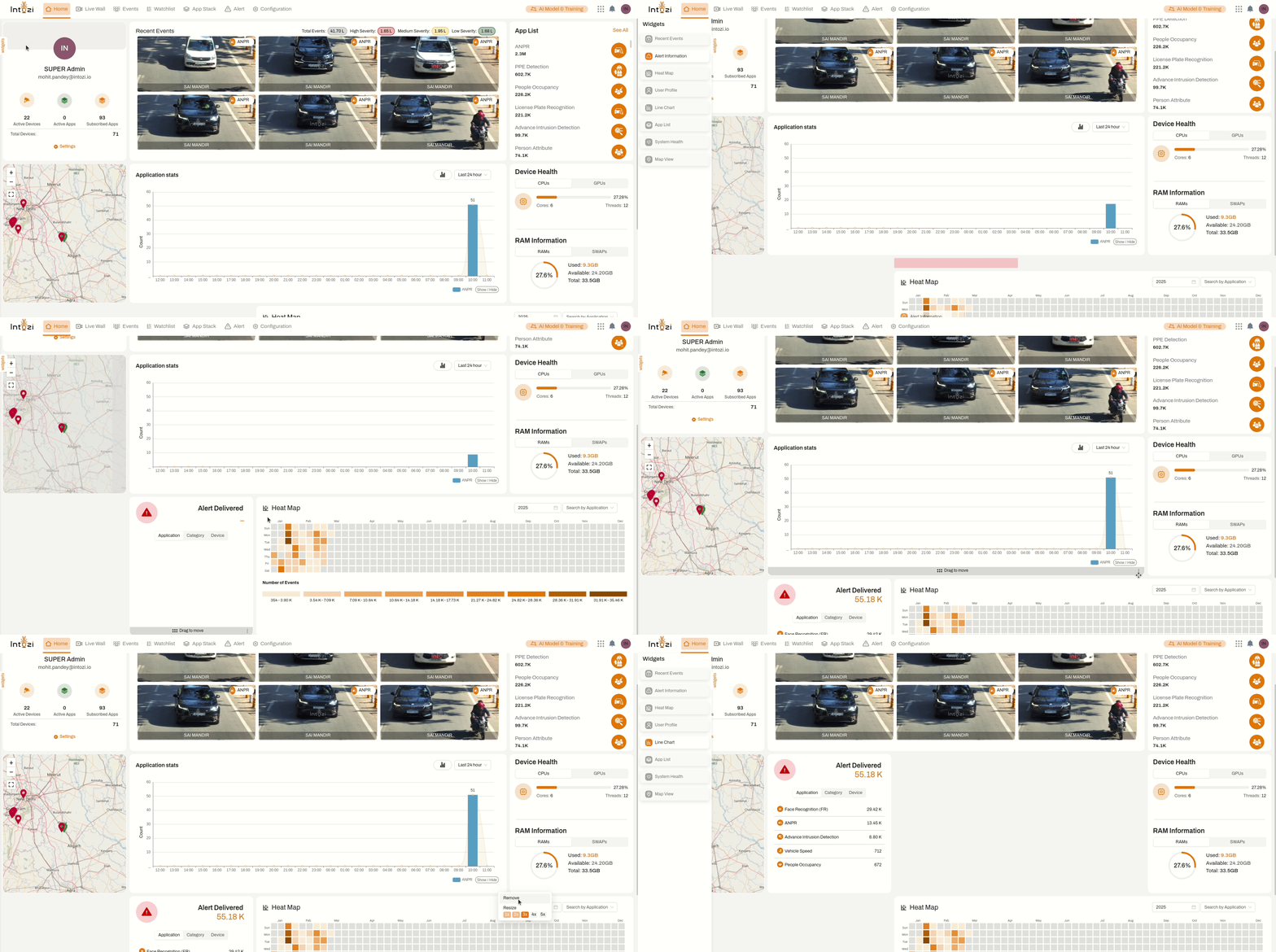
The Intozi dashboard offers a fully customizable experience, enabling users to add, remove, and rearrange widgets to optimize their workflow.
Key Features:
- 🔹 Drag & Drop Functionality – Easily move widgets across the dashboard to prioritize critical insights.
- 🔹 Add or Remove Widgets – Customize your interface by adding new widgets that track essential metrics.
- 🔹 Optimized Workflow – Adjust widget placements to enhance efficiency and quick accessibility.
- 🔹 Scalable & Adaptive – Configure the dashboard layout as per organizational needs, making it adaptable for various monitoring setups.
This feature ensures maximum flexibility, allowing users to create a personalized, efficient, and data-driven monitoring experience. 🚀
3. Review Recent Events

- This section provides real-time AI-detected event snapshots, allowing users to:
- View event type: AI classifications such as
PTZ Person Track. - Identify camera sources: Displays the IP address of the capturing device.
- Check event count: Total number of detected instances.
- Assess severity levels:
- High Severity: Critical alerts requiring immediate action.
- Medium Severity: Important alerts needing review.
- Low Severity: General notifications for reference.
- Click on an event to view recorded footage and additional details.
- View event type: AI classifications such as
4. Analyze Application Statistics
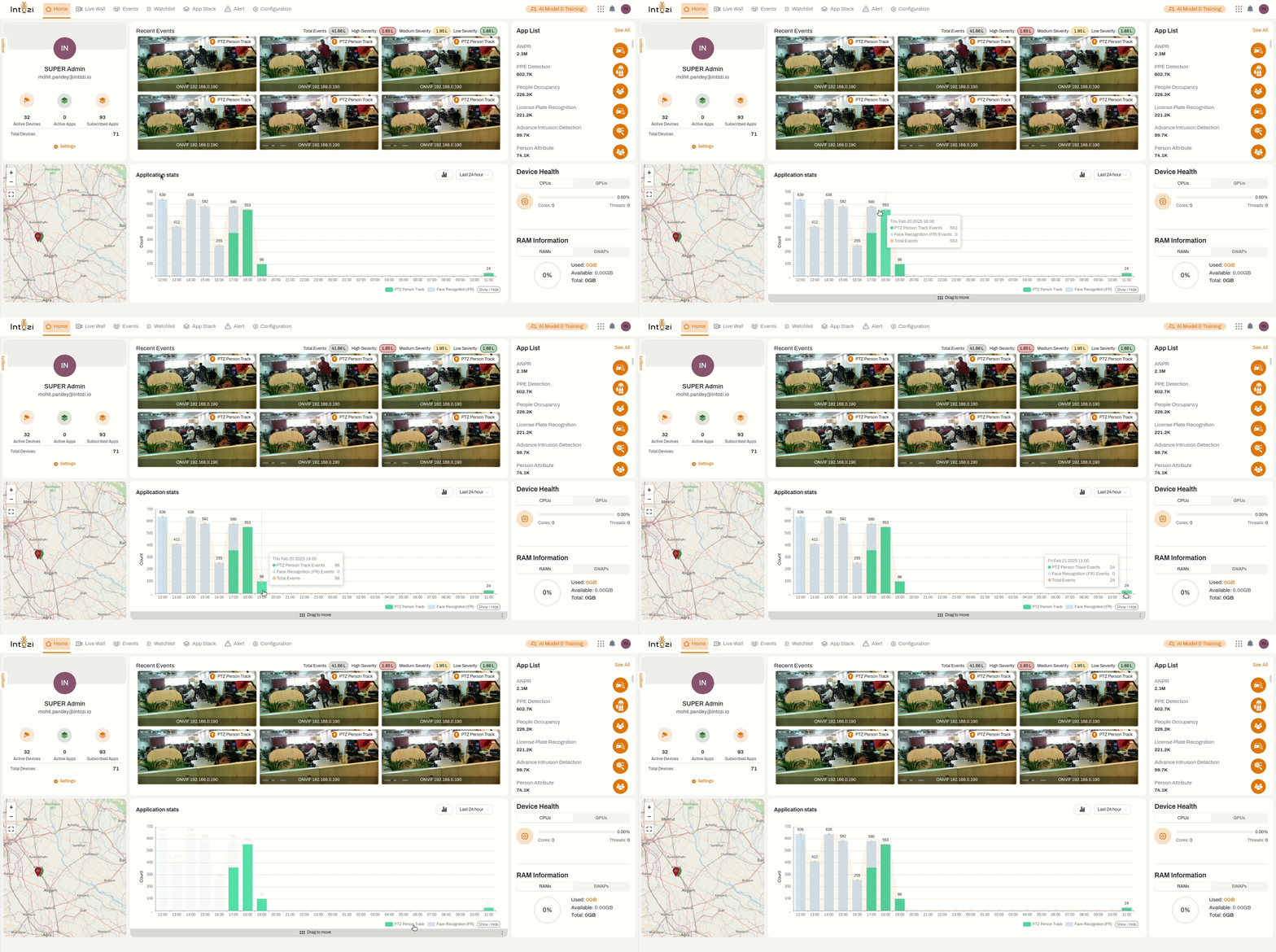
The Application Statistics Panel provides a data-driven overview of AI-powered event detection and trends over time.
Key Functionalities
-
Graphical Representation
- Displays event occurrence trends for AI applications.
- Supports applications like
ANPR,Face Recognition, andPTZ Person Tracking. - Helps in identifying peak activity times and anomalies.
-
Time-Based Filtering
- Users can adjust the time range (Last 24 hours, Last 7 Days, etc.) to analyze event trends dynamically.
- Allows for better insight into system activity over various time periods.
-
Real-Time Data Insights
- Interactive graphs display live statistics and updates as new events are detected.
- Users can toggle specific AI applications to focus on relevant event patterns.
5. Explore the Application List
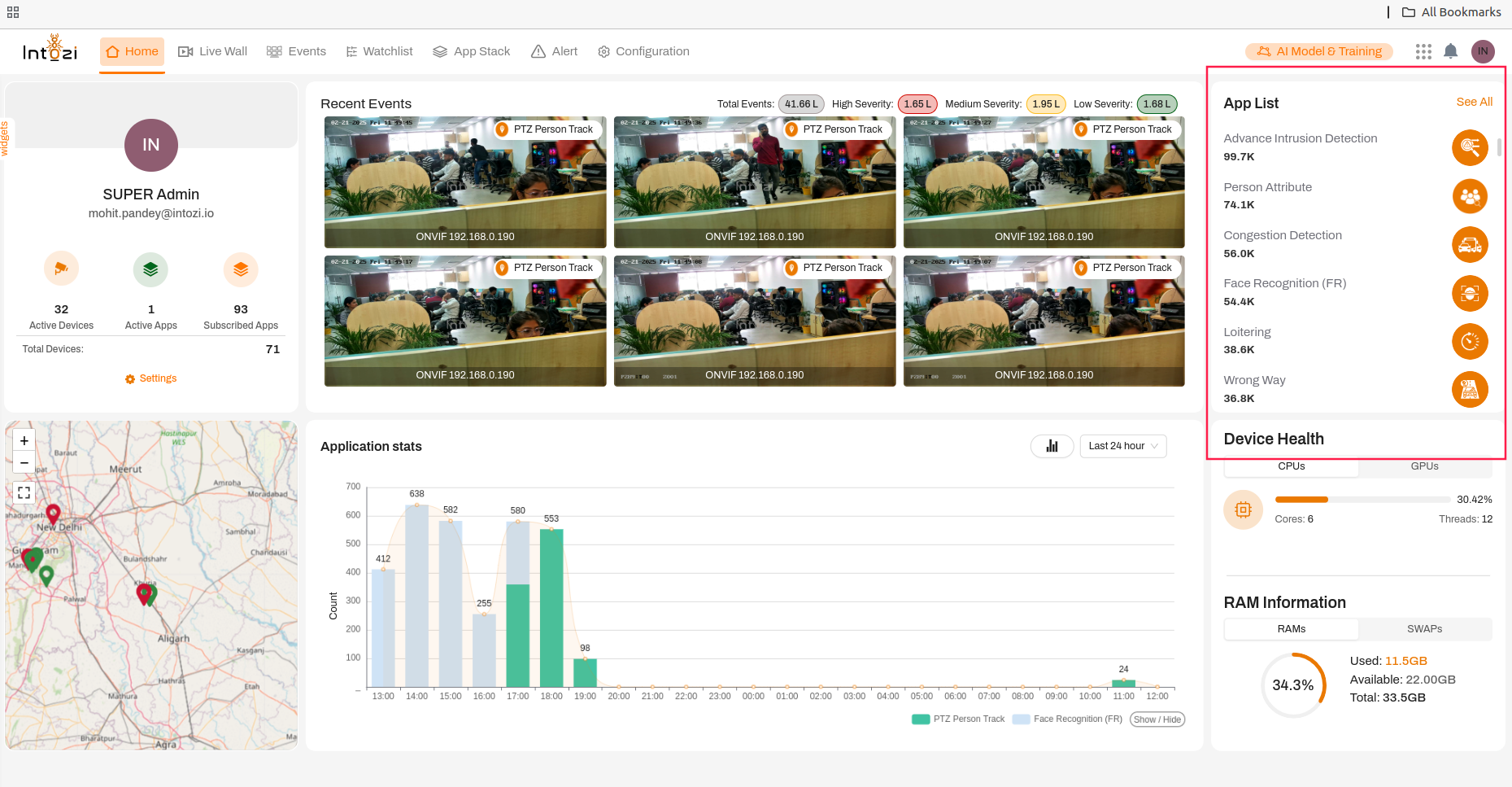
- This section provides an overview of AI-powered applications used within the system:
- ANPR (Automatic Number Plate Recognition):
2.3Mdetections. - PPE Detection:
602.7Kdetections. - People Occupancy:
226.2Kdetections. - License Plate Recognition:
221.2Kdetections. - Advanced Intrusion Detection:
99.7Kdetections. - Person Attribute Analysis:
74.1Kdetections. - Click on See All to view a complete list of available AI applications.
- ANPR (Automatic Number Plate Recognition):
6. Monitor Device Health
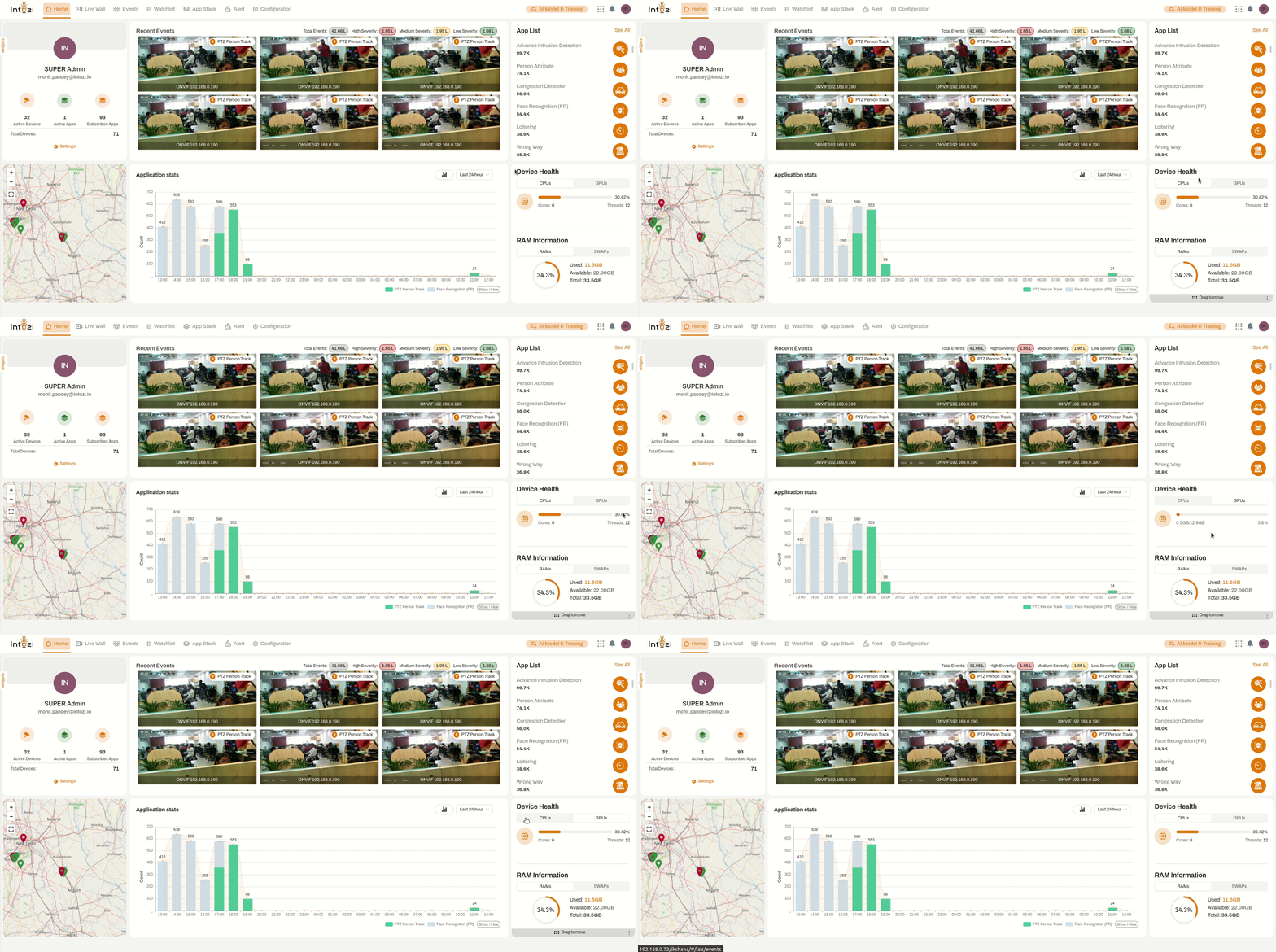
- This panel provides real-time system health insights:
- CPU Utilization:
- Displays the current percentage of CPU usage.
- Shows the number of active processing cores and threads.
- GPU Utilization:
- Indicates GPU workload and processing efficiency.
- Helps monitor AI-based computations to prevent system overload.
- CPU Utilization:
7. Check RAM Information
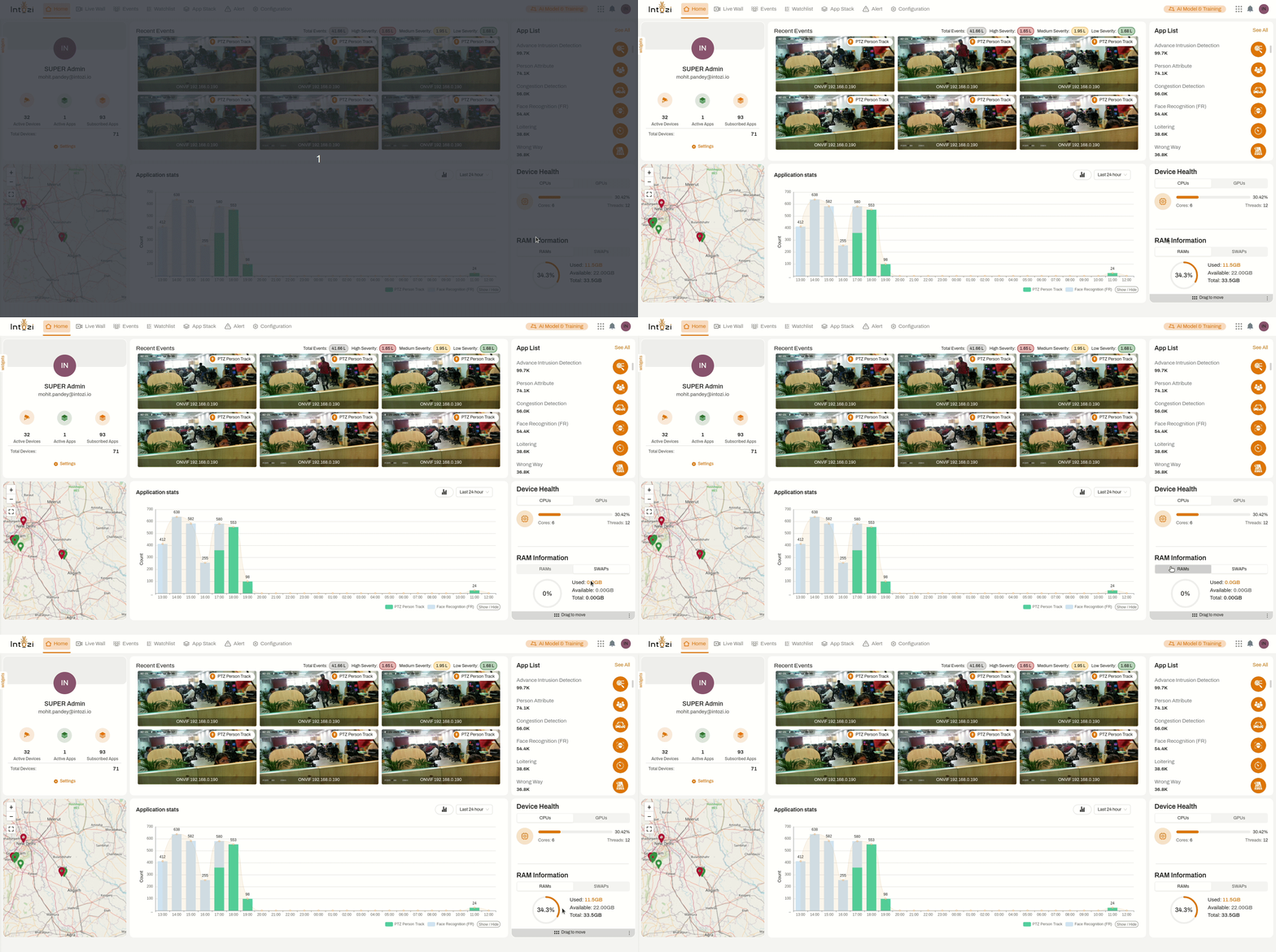
- Displays memory usage and availability, ensuring smooth system performance:
- Total RAM Capacity:
33.5GB - Used RAM:
9.96GB - Available RAM:
23.60GB - Utilization Indicator: A graphical representation of current memory usage.
- Total RAM Capacity:
8. Geographic Event Mapping for Advanced Situational Awareness
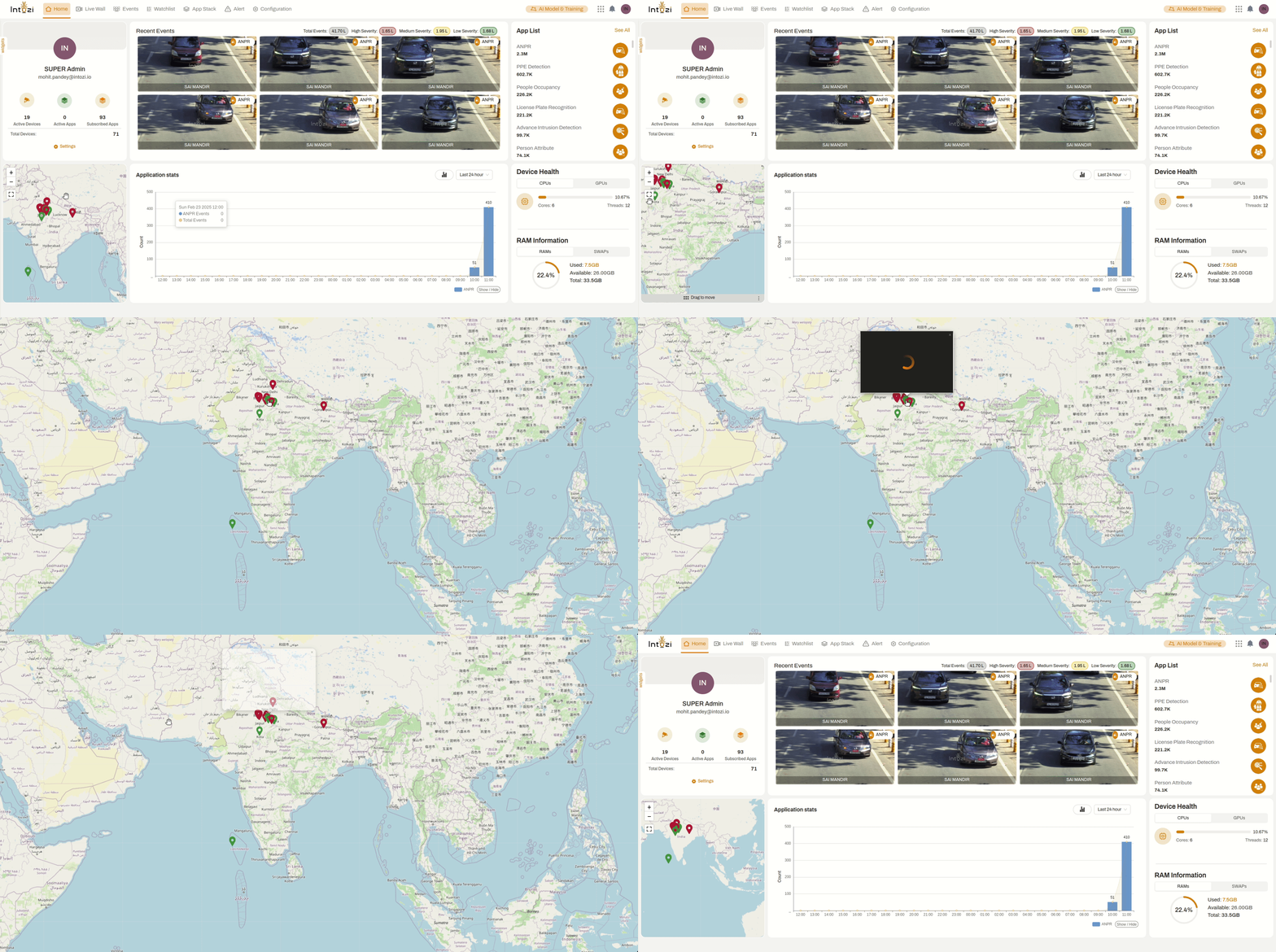
The Geographic Event Mapping feature provides a real-time, interactive map-based visualization of detected events, enabling proactive security monitoring and decision-making.
Key Capabilities:
✅ Real-Time Event Localization
- Displays precise incident locations on an interactive map.
- Facilitates quick identification and assessment of security events.
🔍 Intuitive Zoom & Navigation Controls
- Enables users to seamlessly zoom in, zoom out, and navigate to explore specific event locations.
- Ensures a comprehensive geographic overview for enhanced analysis.
📊 Data-Driven Security Insights
- Helps in trend analysis and pattern recognition by mapping historical and real-time data.
- Aids in strategic security resource allocation by pinpointing high-risk areas.
🌎 Optimized for Global Operations
- Supports multi-region event tracking for organizations operating across different locations.
- Enhances collaborative security efforts with geospatial intelligence.
This powerful visualization tool empowers security teams with actionable intelligence, allowing them to monitor, analyze, and respond to incidents efficiently. 🚀
9. AI Model & Training Section
- This section allows users to train AI models for enhanced detection accuracy:
- Custom AI Training: Improves recognition and event classification.
- Real-Time AI Optimization: Continuously enhances AI performance based on system data.
- User Input & Model Feedback: Provides AI tuning options based on user-defined parameters.
Conclusion
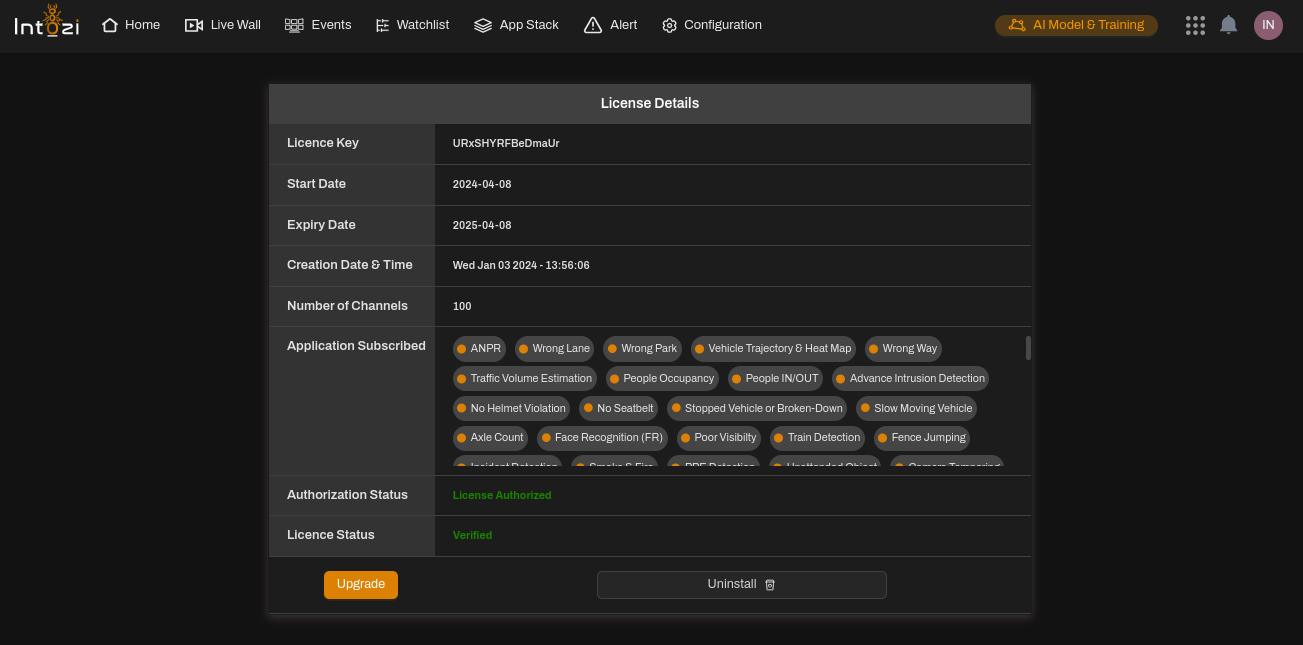
- The Intozi Home Page is a powerful AI-driven monitoring interface that provides real-time insights, performance tracking, and security analysis.
- Users can effectively manage surveillance feeds, AI applications, and system resources from a single dashboard.
- Understanding each section ensures maximum utilization of the platform for advanced security monitoring and decision-making.
By leveraging the Home Page features efficiently, users can optimize their security operations, reduce risks, and enhance overall monitoring capabilities.