User Guide: Database (DB) Configuration
Overview
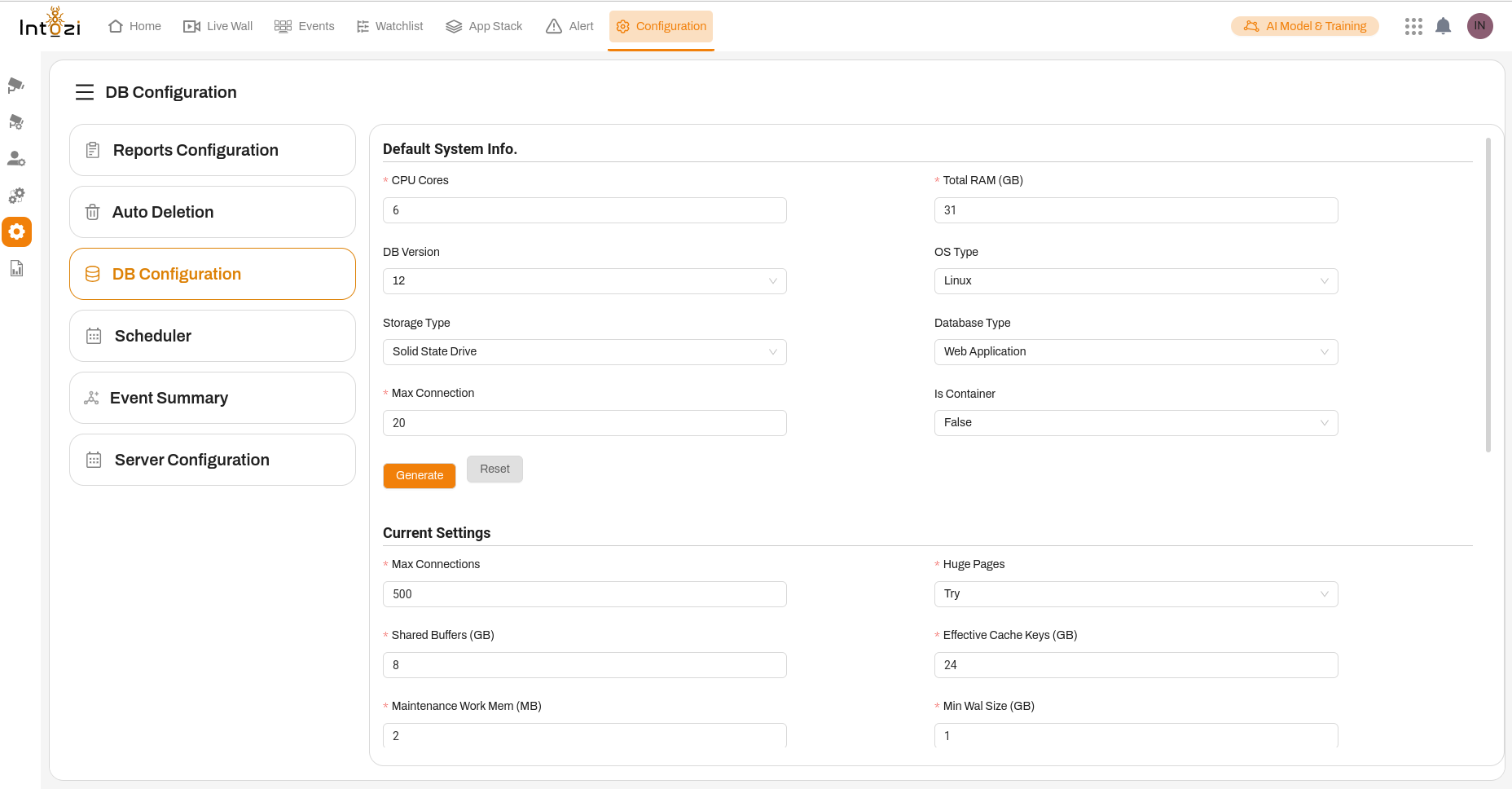
The DB Configuration module allows administrators to fine-tune database performance by configuring critical database parameters. Proper configuration ensures optimal database efficiency, stability, and resource allocation based on system capabilities.
This section explains each setting available in the DB Configuration panel and its role in database management.
Accessing the DB Configuration Panel
- Navigate to the Configuration menu in the application.
- Click on DB Configuration from the left sidebar.
- The panel will display multiple database configuration settings, divided into different sections.
1. Default System Info
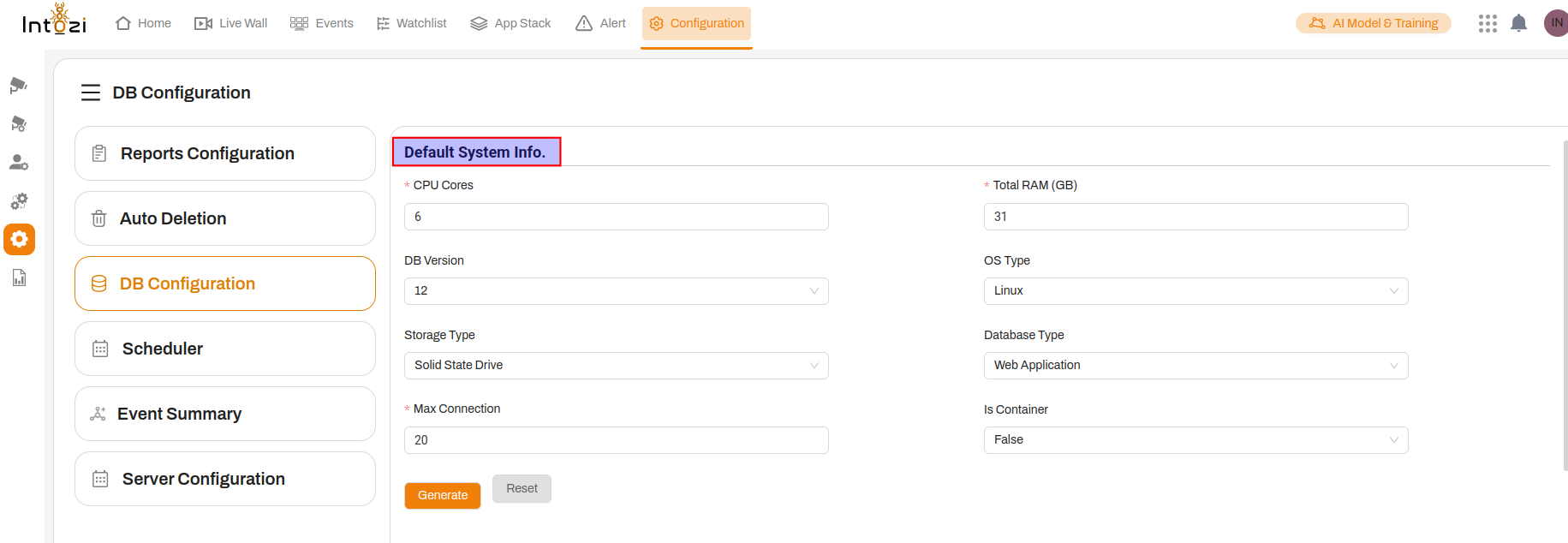
This section provides system-related details that help determine the best database settings.
- CPU Cores (Required): Defines the number of CPU cores allocated to the database. More cores allow better parallel processing.
- Total RAM (GB) (Required): Specifies the total system memory available. Used for memory-intensive queries and caching.
- DB Version: Select the database version. Ensures compatibility with features and optimizations.
- Storage Type: Choose between HDD (Hard Disk Drive) or SSD (Solid State Drive). SSD is recommended for faster performance.
- OS Type: Indicates the operating system, such as Linux or Windows, which may affect database tuning parameters.
- Database Type: Select the purpose of the database, e.g., Web Application, Analytics, etc.
- Is Container: Defines whether the database is running in a containerized environment (e.g., Docker, Kubernetes).
✅ Action: After entering system specifications, click Generate to recommend optimized settings.
2. Current Settings
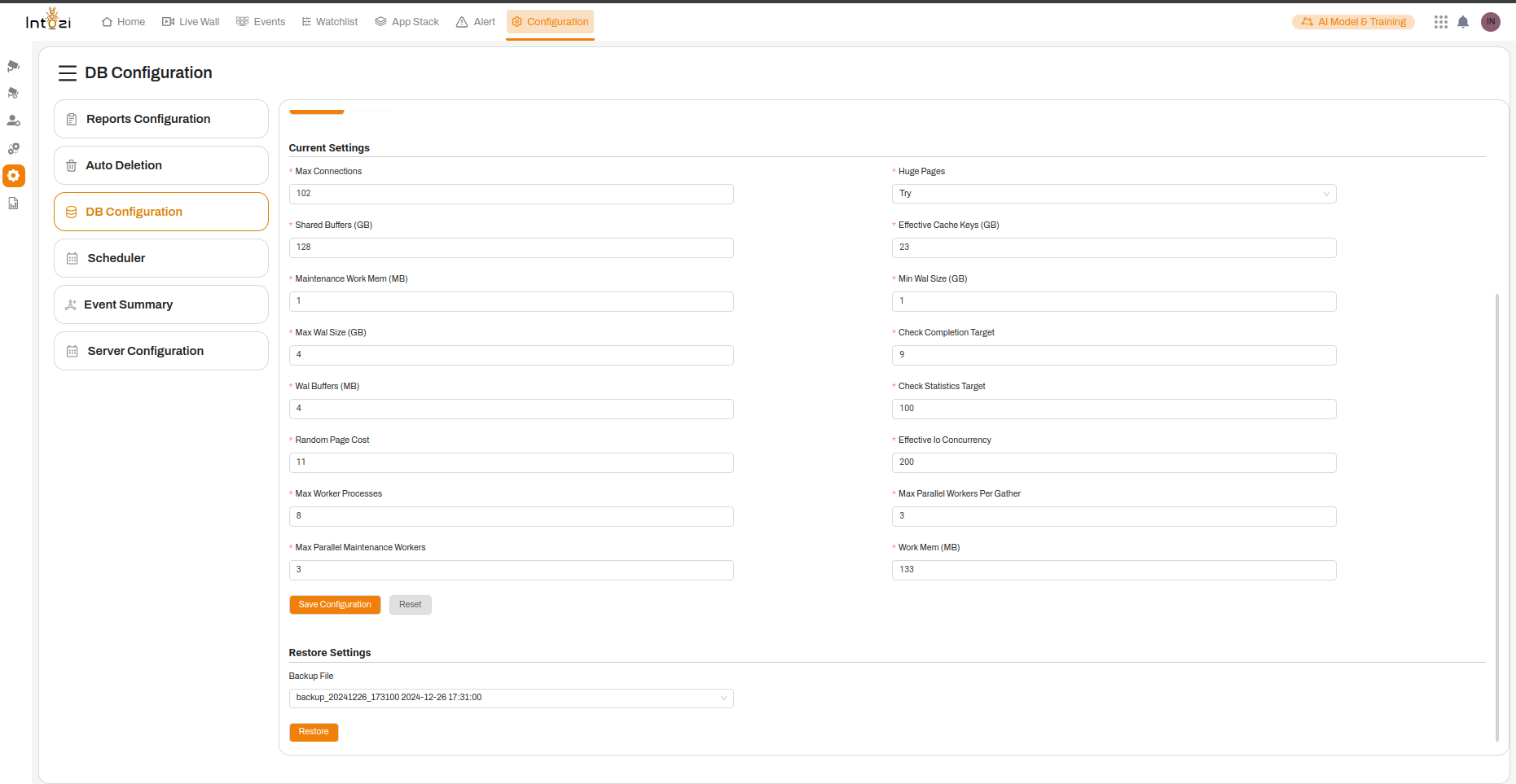
This section allows administrators to modify key database parameters:
Performance & Memory Optimization
- Max Connections (Required): Defines the maximum number of concurrent connections. High values suit large-scale applications, but excessive connections can strain resources.
- Shared Buffers (GB) (Required): Allocates memory for frequently accessed data, improving query speed. Recommended: 25-40% of total RAM.
- Maintenance Work Mem (MB): Memory allocated for database maintenance tasks like vacuuming and indexing.
- Effective Cache Keys (GB) (Required): Helps optimize cache efficiency by defining the amount of memory allocated for caching index and table data.
Transaction & WAL Settings
- Max Wal Size (GB) (Required): Defines the maximum size of Write-Ahead Logs (WAL). Higher values improve performance for large transactions but require more disk space.
- Min Wal Size (GB): Specifies the minimum WAL size before the system starts automatic cleanup.
- Wal Buffers (MB) (Required): Memory allocated for WAL processing. Improves transaction logging efficiency.
Concurrency & Parallel Processing
- Max Worker Processes: Sets the number of background worker processes, which handle tasks like parallel queries and autovacuum.
- Max Parallel Workers Per Gather: Defines the number of parallel workers for query execution. Helps speed up complex queries.
- Max Parallel Maintenance Workers: Determines the number of workers for database maintenance tasks.
- Effective IO Concurrency: Adjusts how many concurrent I/O operations can be performed to optimize disk performance.
Other Settings
- Random Page Cost: Assigns a cost value to random disk page fetches. Lower values favor SSD performance.
- Check Completion Target: Affects how aggressively the database performs background tasks.
- Check Statistics Target: Defines the number of rows sampled for generating table statistics.
✅ Action: After configuring settings, click Save Configuration to apply changes. Click Reset to restore defaults.
3. Restore Settings
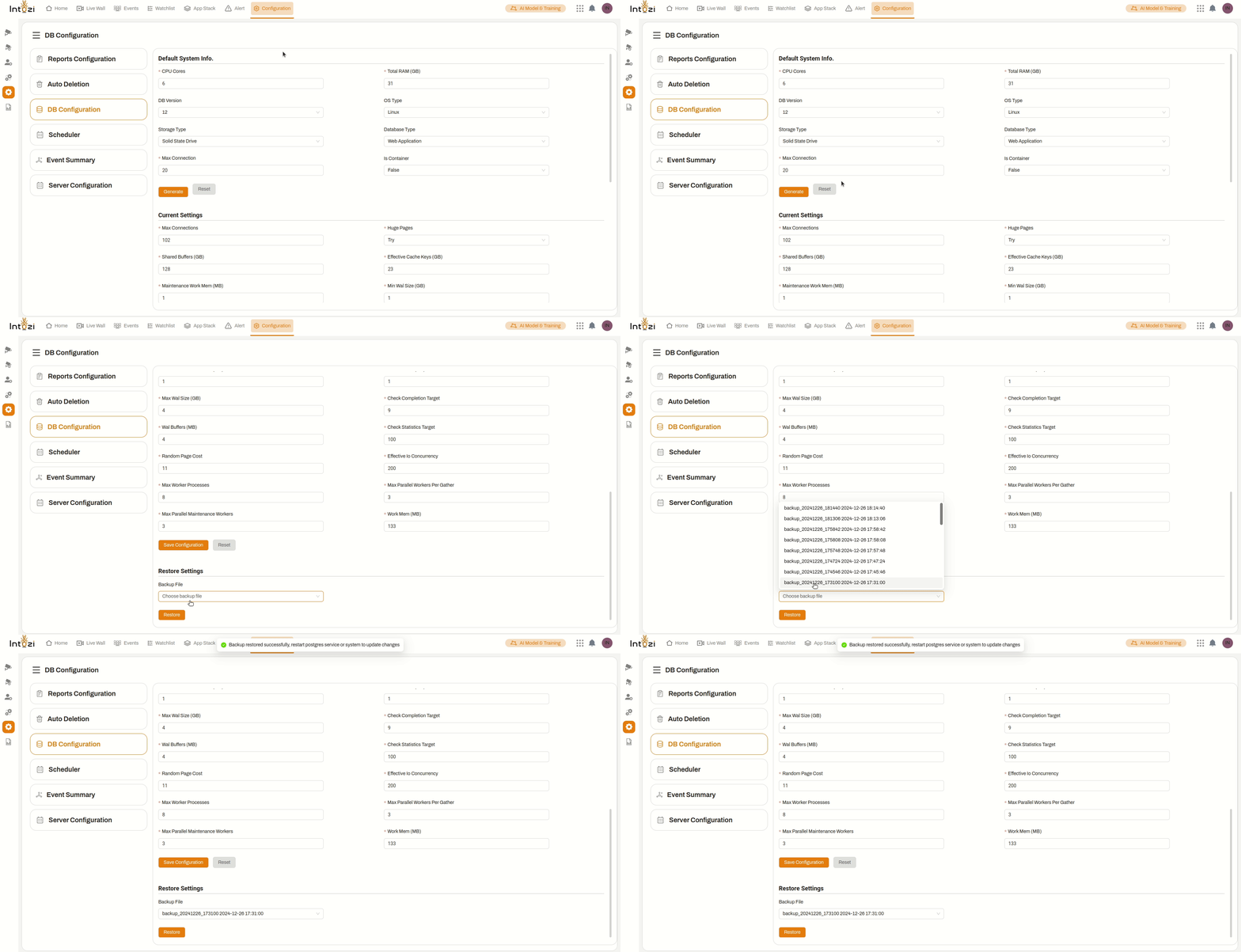
The restore feature allows users to recover previous database configurations using a backup file.
- Backup File: Select a backup file from your system.
- Click Restore to revert to a previous configuration.
⚠️ Note: Restoring settings will overwrite existing configurations.
Best Practices
- Monitor Performance: Regularly check database performance and adjust settings accordingly.
- Optimize Memory Usage: Allocate sufficient shared buffers and cache keys based on available RAM.
- Adjust WAL Settings for Transaction Load: Increase WAL size for high-transaction environments to reduce disk I/O overhead.
- Fine-tune Parallel Processing: Set parallel worker values based on CPU and workload complexity.
- Perform Backups Before Modifications: Always create a backup before applying major configuration changes.