User Guide: Event Summary
Overview
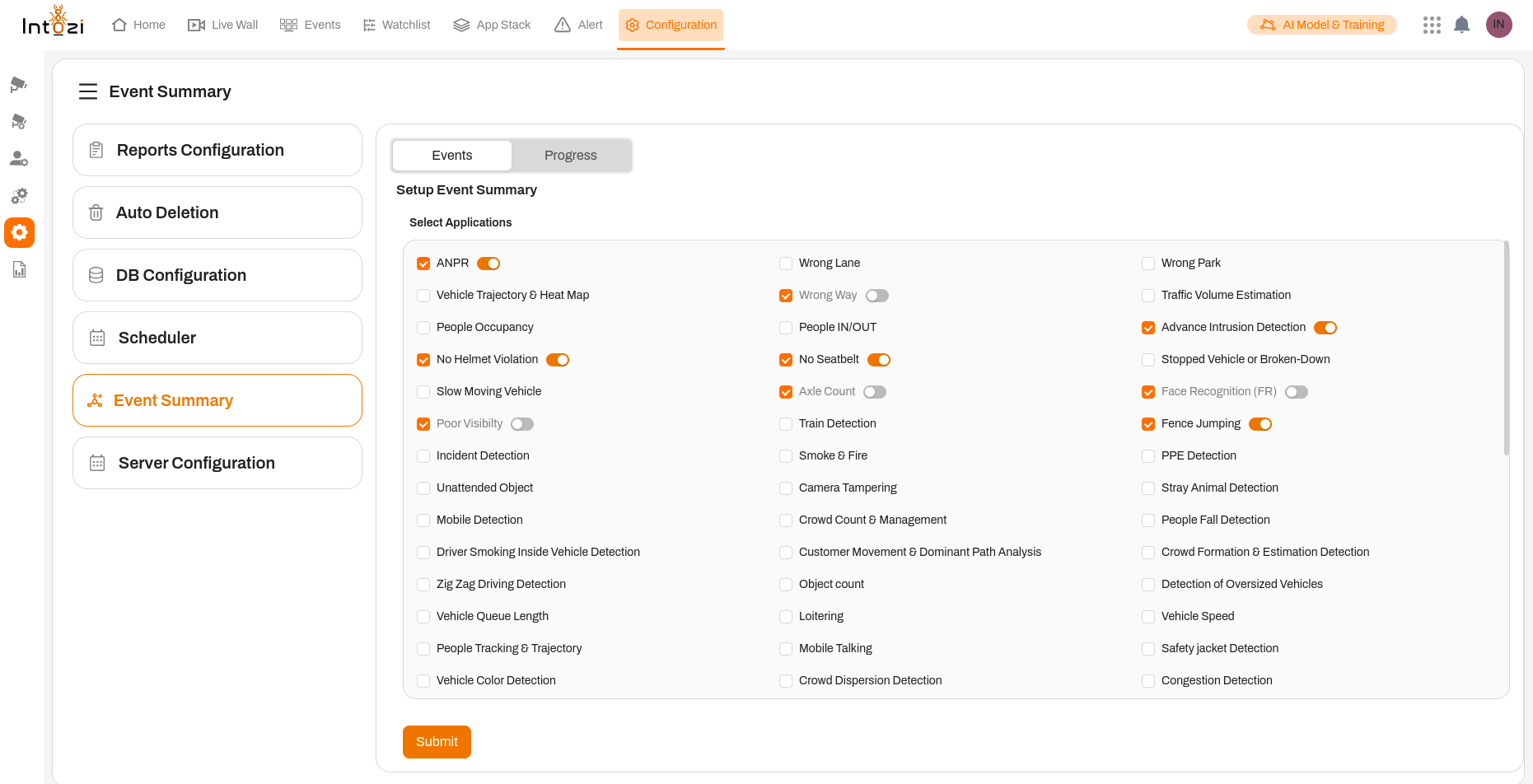
The Event Summary feature provides a comprehensive overview of all application events detected and processed by the system. It allows users to monitor real-time event data, view detailed summaries, and configure event settings with ease. This feature is essential for tracking and managing various security, traffic, and operational events, ensuring accurate and actionable insights.
Key Features
1. Event Monitoring and Summarization
- The Event Summary panel displays real-time information about all enabled applications and their detected events.
- Events may include:
- Vehicle Information: Car color, license plate number (ANPR - Automatic Number Plate Recognition).
- Traffic Violations: Wrong-way driving, no seatbelt, no helmet detection.
- Security Alerts: Advanced intrusion detection, fence jumping, and more.
- Each event type shows a progress bar, reflecting the detection percentage and status.
2. Application Selection and Activation
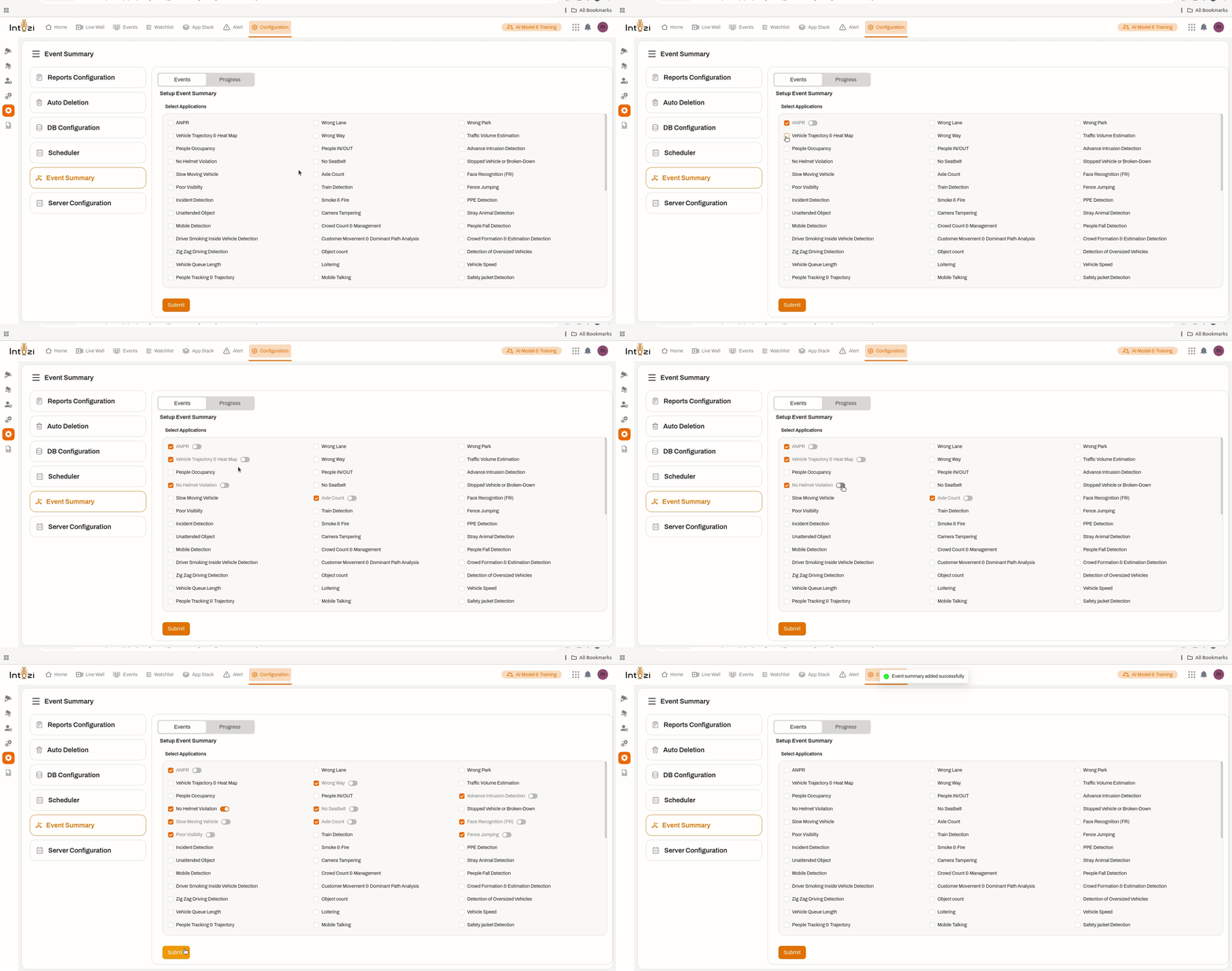
- Navigate to the Configuration section and select Event Summary from the left-hand menu.
- The Events tab lists all available applications.
- To enable an application, simply toggle the switch next to it.
- Once enabled, the system will start capturing and processing relevant event data.
- Click Submit to save your selections.
3. Progress Tracking
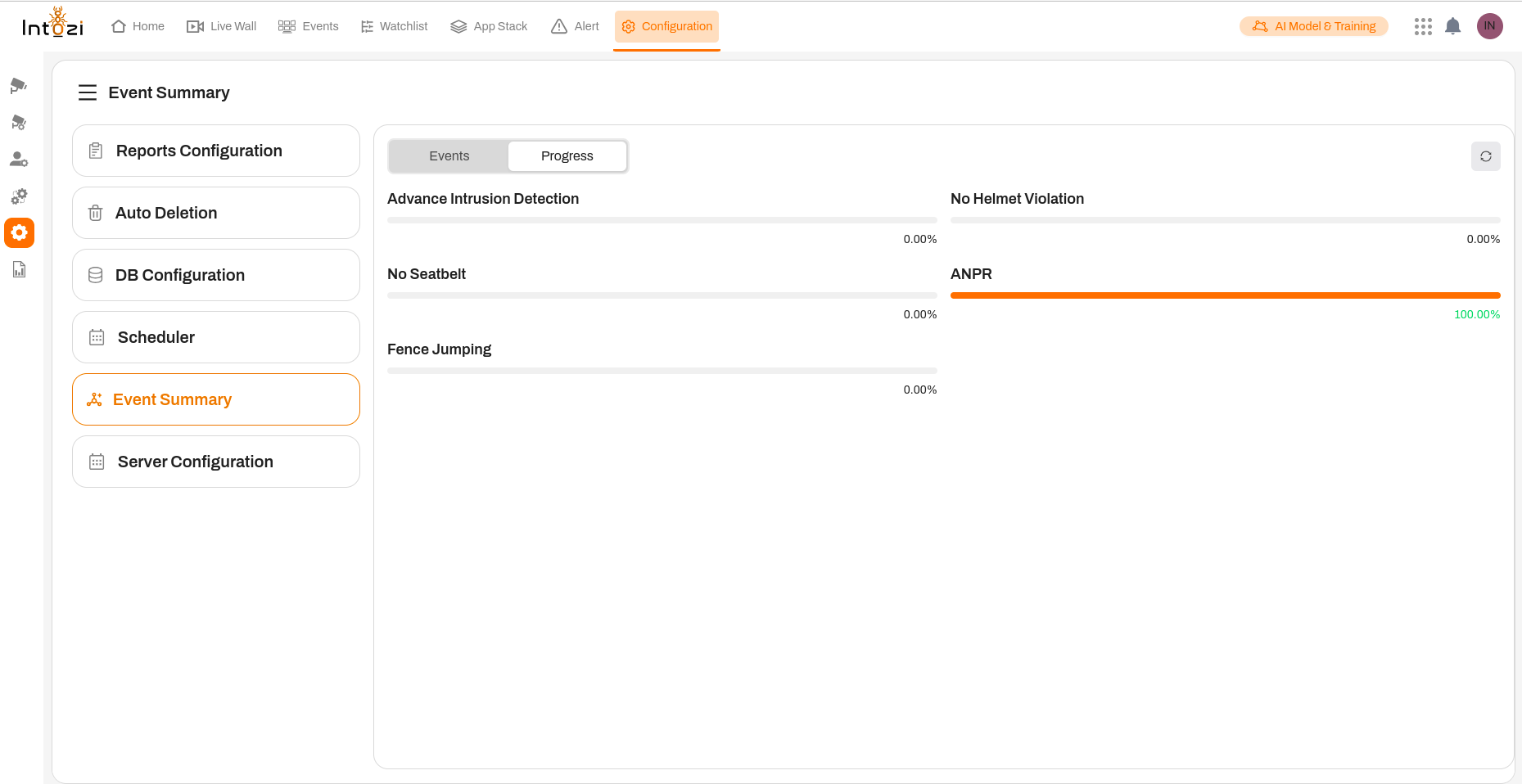
- The Progress tab allows users to track the status of event data processing.
- It clearly indicates whether the system has successfully generated summaries for enabled applications.
- This real-time feedback ensures users are informed about the status of all active event detections.
4. Application Settings
The Application Settings panel allows users to configure event processing parameters for selected applications. It provides flexibility in defining time frames, event IDs, and processing modes.
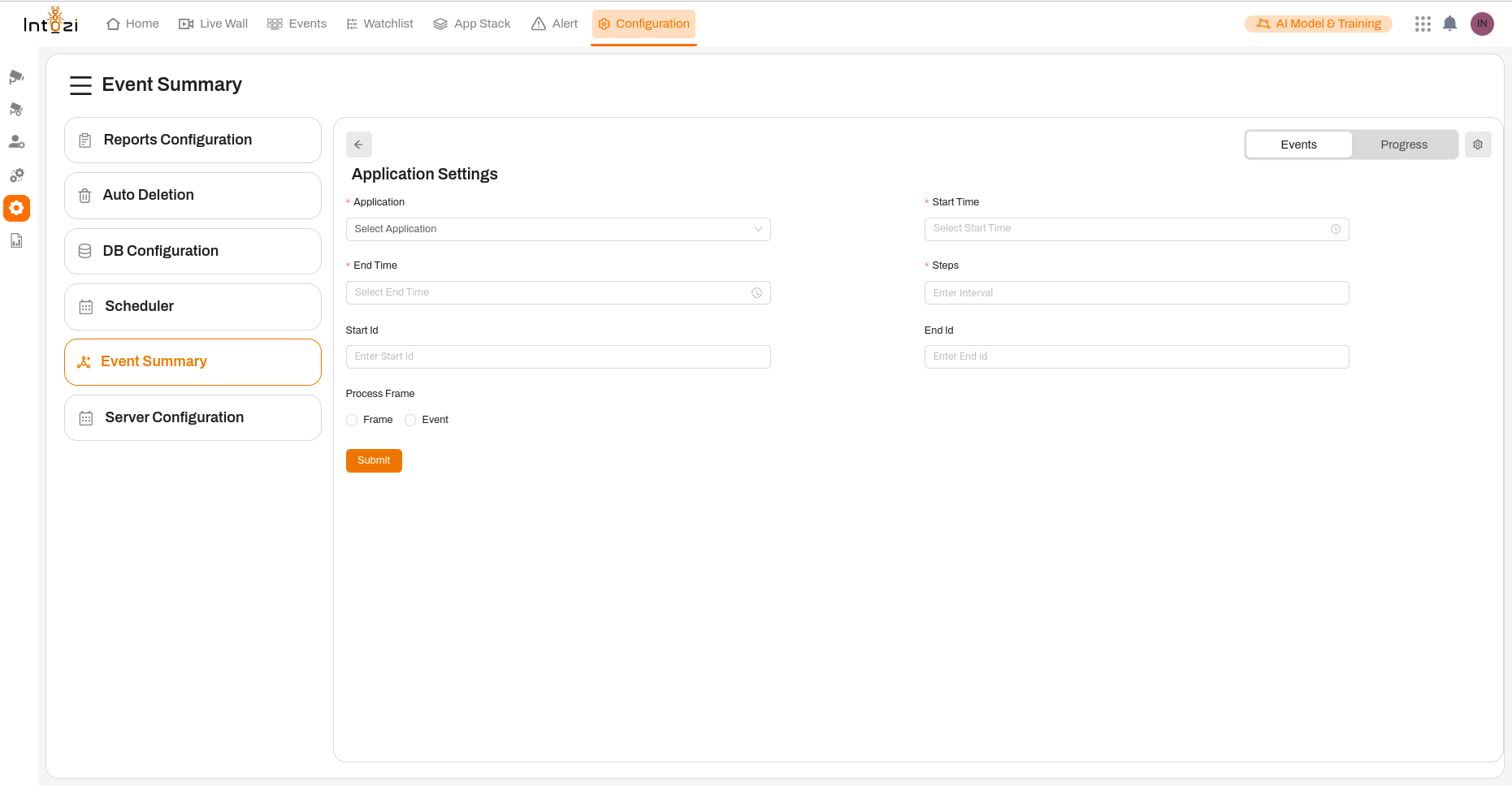
- Application: Select the application for which you want to configure event settings.
- Start Time & End Time: Specify the time range for event data collection. (End Time is mandatory)
- Start ID & End ID: Define the ID range for event tracking.
- Steps: Enter the interval for event processing steps.
- Process Frame: Choose between two processing modes:
- Frame: Process the entire frame, capturing all detected elements.
- Event: Focus only on the detected event(s) for efficient data processing.
- Click Submit to apply the changes.
How It Works
- Enable Applications: Users select and activate relevant applications to begin event monitoring.
- Event Detection: The system continuously detects and logs events based on the enabled applications.
- Summary Generation: Real-time data is processed, and event summaries are displayed.
- Progress Review: Users can track processing status and ensure events are accurately recorded.
- Fine-Tuning: Application settings allow users to customize event data collection to meet their specific needs.
Conclusion
The Event Summary feature is a powerful tool for monitoring, analyzing, and managing event data from various applications. Its real-time tracking, intuitive configuration, and detailed reporting ensure seamless event management for security, traffic, and operational scenarios. By leveraging this feature, users gain precise insights and full control over event data processing.
For further assistance, please refer to additional support materials or contact our technical support team.