IKSHANA: Registration & Login Guide
Welcome to IKSHANA! This guide will walk you through the steps to register, verify your account, and log in securely. Follow the instructions below to get started.
1. Registration (Sign Up)
If you're a new user, follow these steps to create an account:
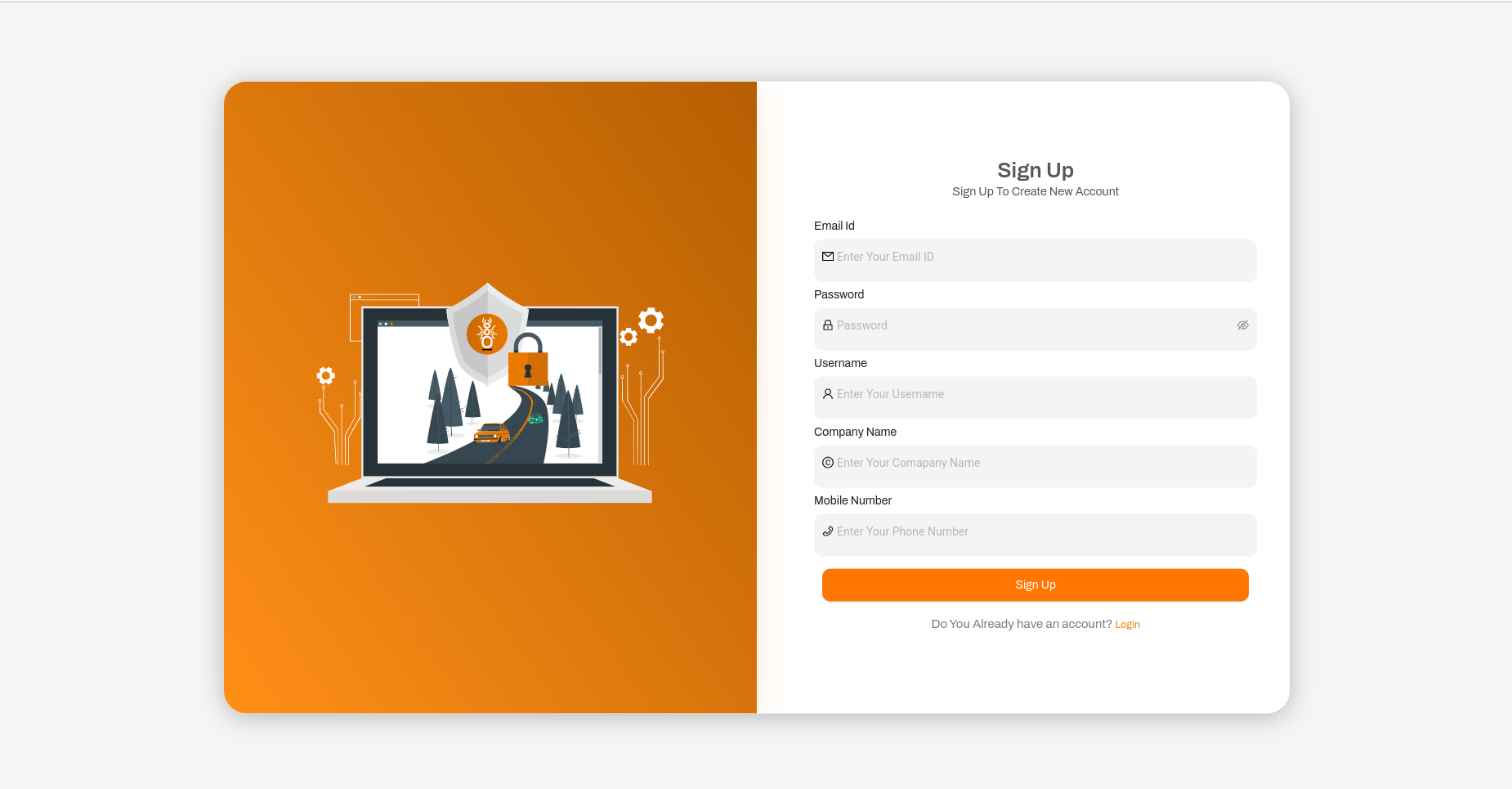
- Open IKSHANA and navigate to the Sign Up page.
- Enter the required details:
- Full Name: Enter your full name.
- Email Address: Provide a valid email address. This will be used for OTP verification and communication.
- Username: Choose a unique username for your account.
- Password: Create a strong password.
- Company Name: Enter the name of your organization or company.
- Mobile Number: Provide a valid mobile number.
- Click Sign Up to proceed.
Email Verification (OTP Process)
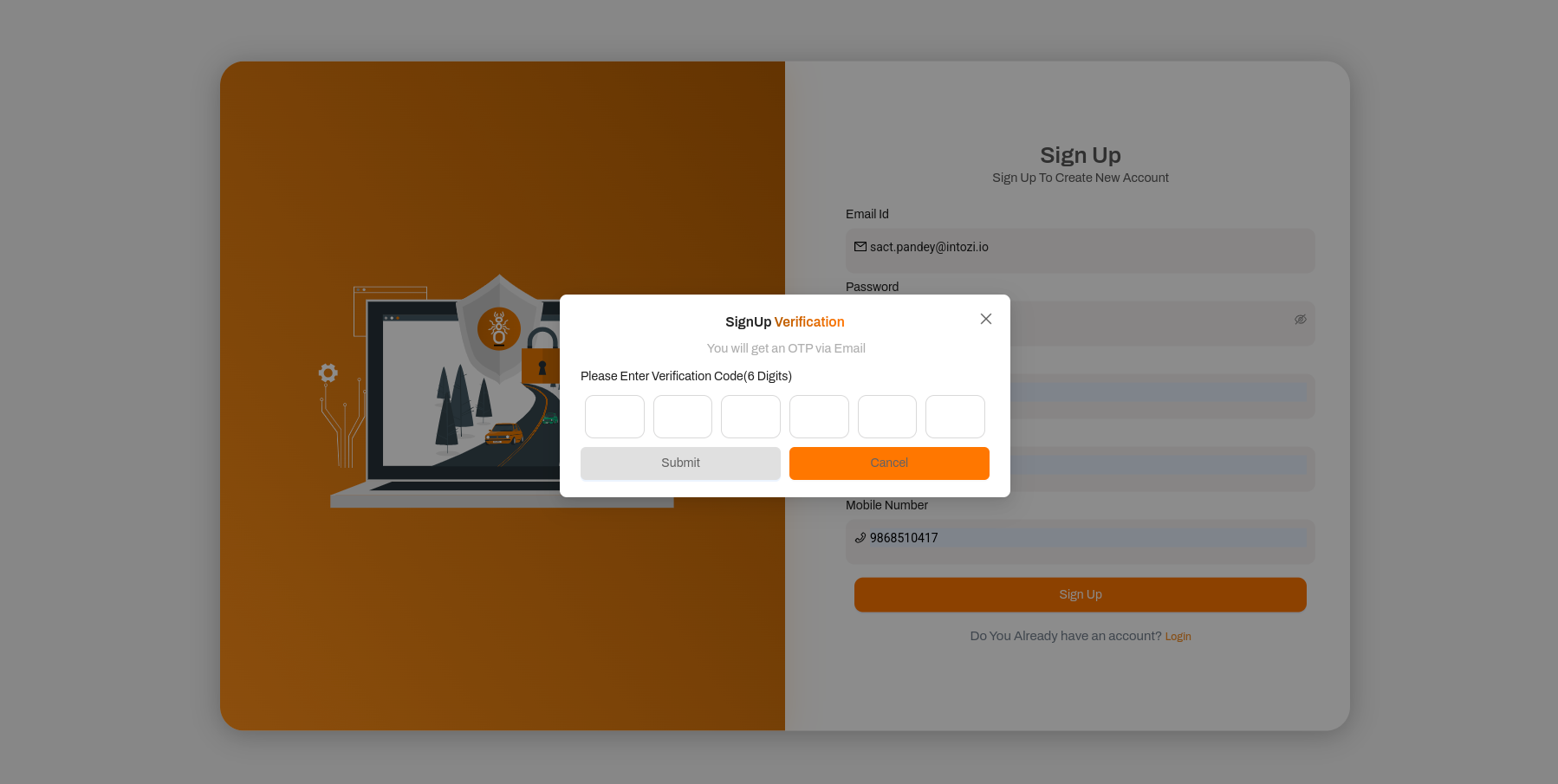
- After submitting the form, a 6-digit OTP (One-Time Password) will be sent to your registered email.
- Open your email and locate the OTP.
- Enter the OTP in the verification field and click Verify.
- If the OTP is correct, your account will be successfully activated.
- If the OTP expires or is incorrect, use the Resend OTP option.
- Once verified, you can log in to your account.
2. Login (Sign In)
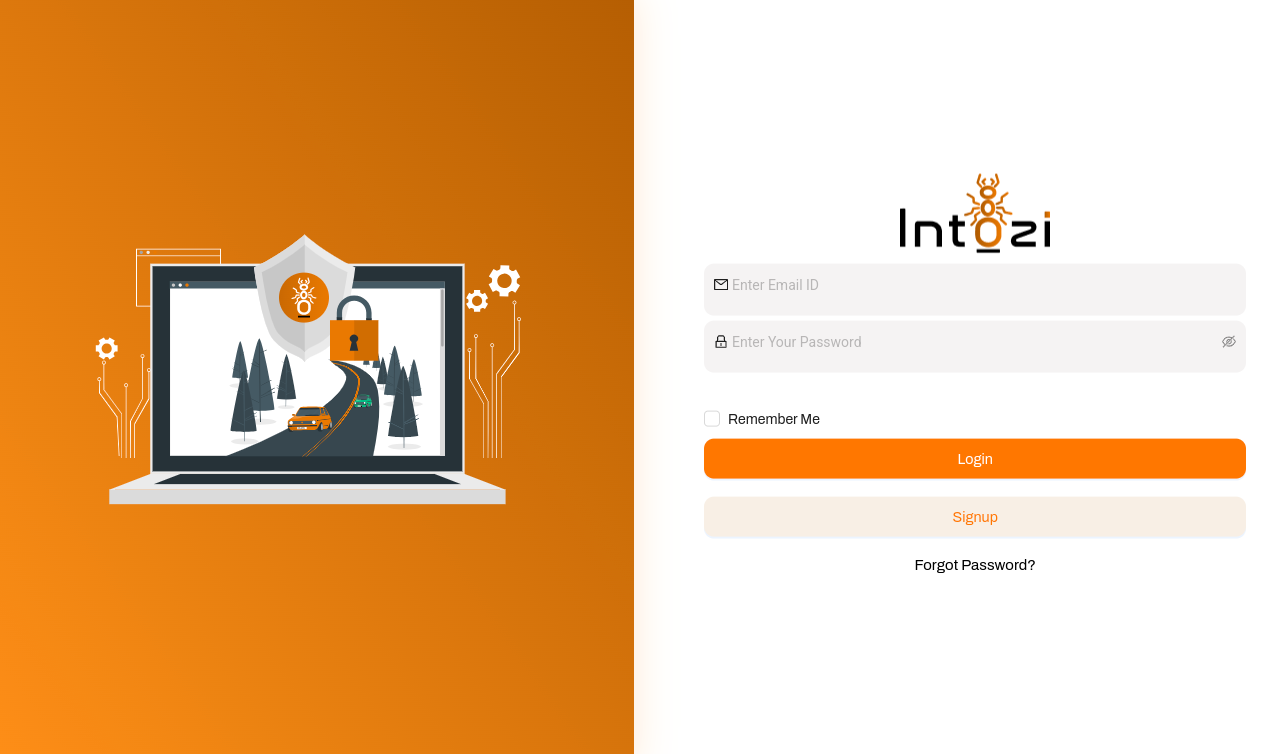
Once registered, follow these steps to log in:
- Go to the IKSHANA Login page.
- Enter your Email/Username and Password.
- Click Log In to access your dashboard.
3. Forgot Password? (Reset Process)
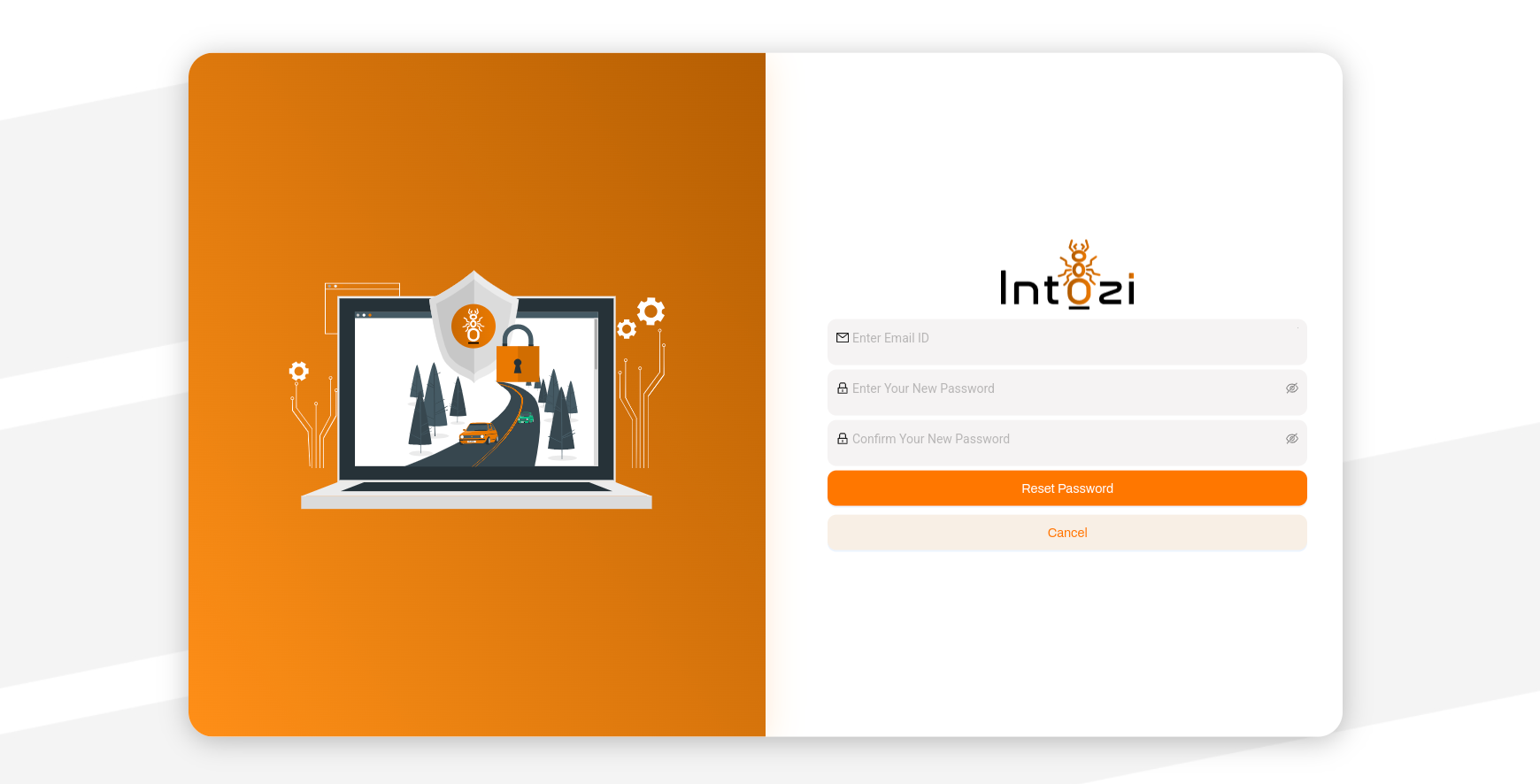
If you can't log in due to a forgotten password:
- Click Forgot Password? on the login page.
- Enter your registered Email Address or Mobile Number and submit the request.
- Check your email or mobile for a password reset link or OTP.
- Click the link or enter the OTP to verify your identity.
- Enter a new password and confirm it.
- Your password is now reset, and you can log in with your new credentials.
4. Troubleshooting Tips
- Didn’t receive the OTP?
Check your spam/junk folder or click Resend OTP. Ensure your email address or mobile number is correctly entered. - Incorrect OTP?
Ensure you entered the latest OTP received. OTPs are time-sensitive and expire after a few minutes. - Forgot your password?
Use the Forgot Password? option to reset it. - Facing issues with registration or login?
Contact IKSHANA Support for assistance. Provide your email address, username, and a detailed description of the issue for faster resolution.
Thank you for using IKSHANA! If you have any questions or need further assistance, please reach out to our support team.