People Fall Detection
People Fall Detection is used to detect human fall incidents in real time. This guide walks through opening the People Fall Detection application in App Stack, configuring devices and ROIs, and setting Meta Parameters for a typical deployment.
1. Finding the People Fall Detection Application in App Stack
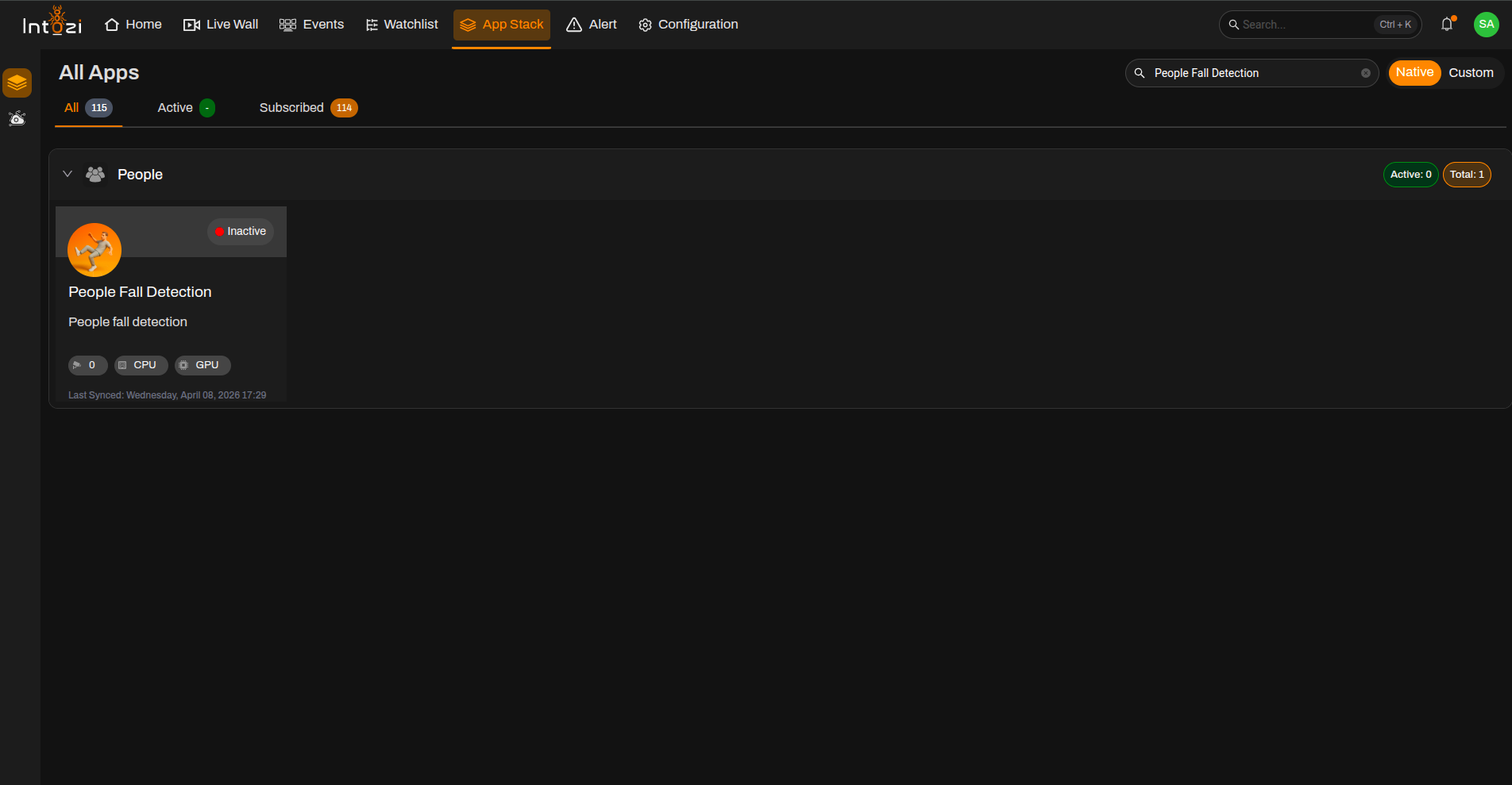
- Open App Stack on the platform.
- Use the search bar (usually at the top right of the dashboard).
- Enter People Fall Detection.
- In the results, click once on the application to open it.
2. Device Configuration
After the application opens, you are taken to the Device Configuration page.
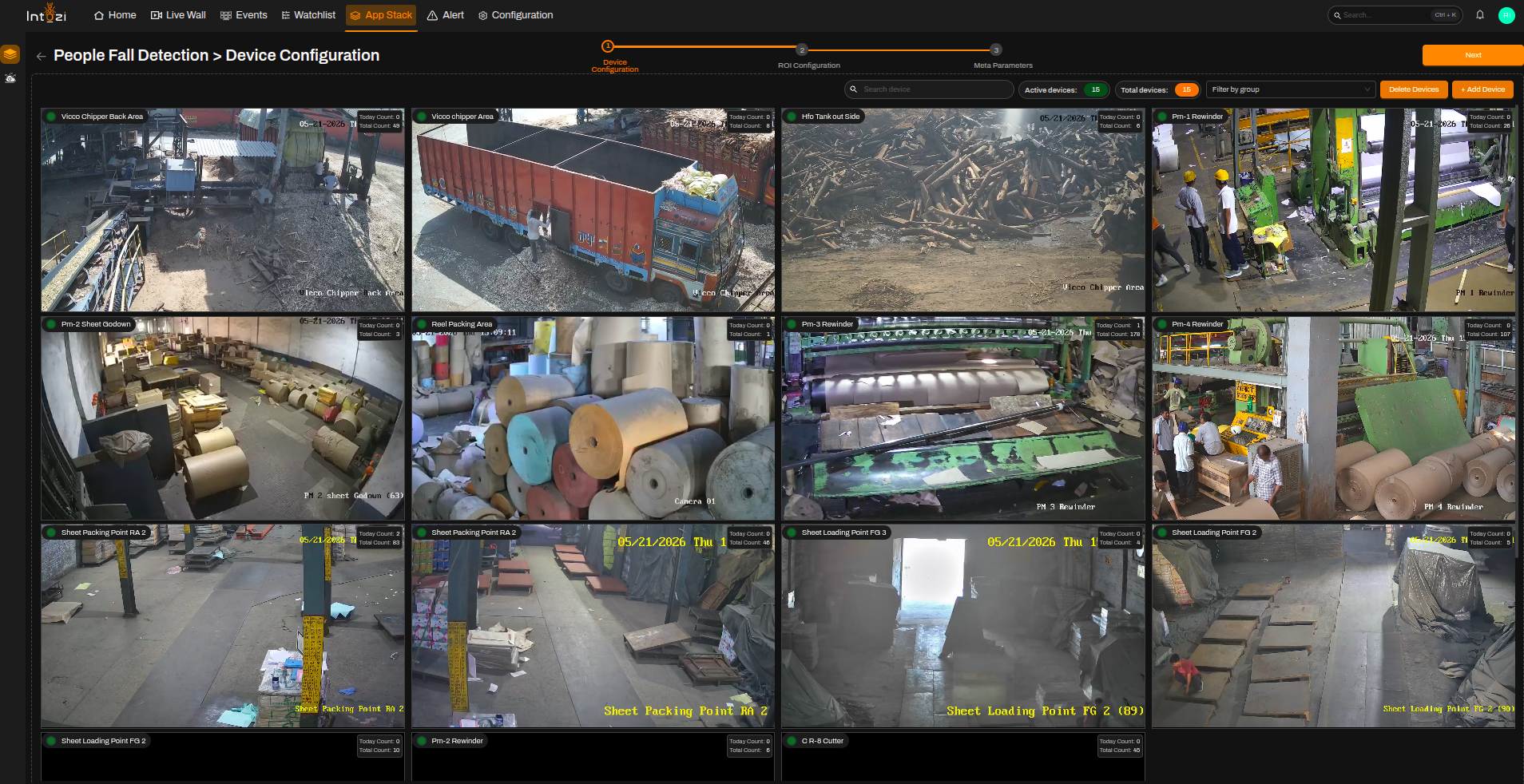
- On the right side of the page, use the option to add devices and connect the cameras you need.
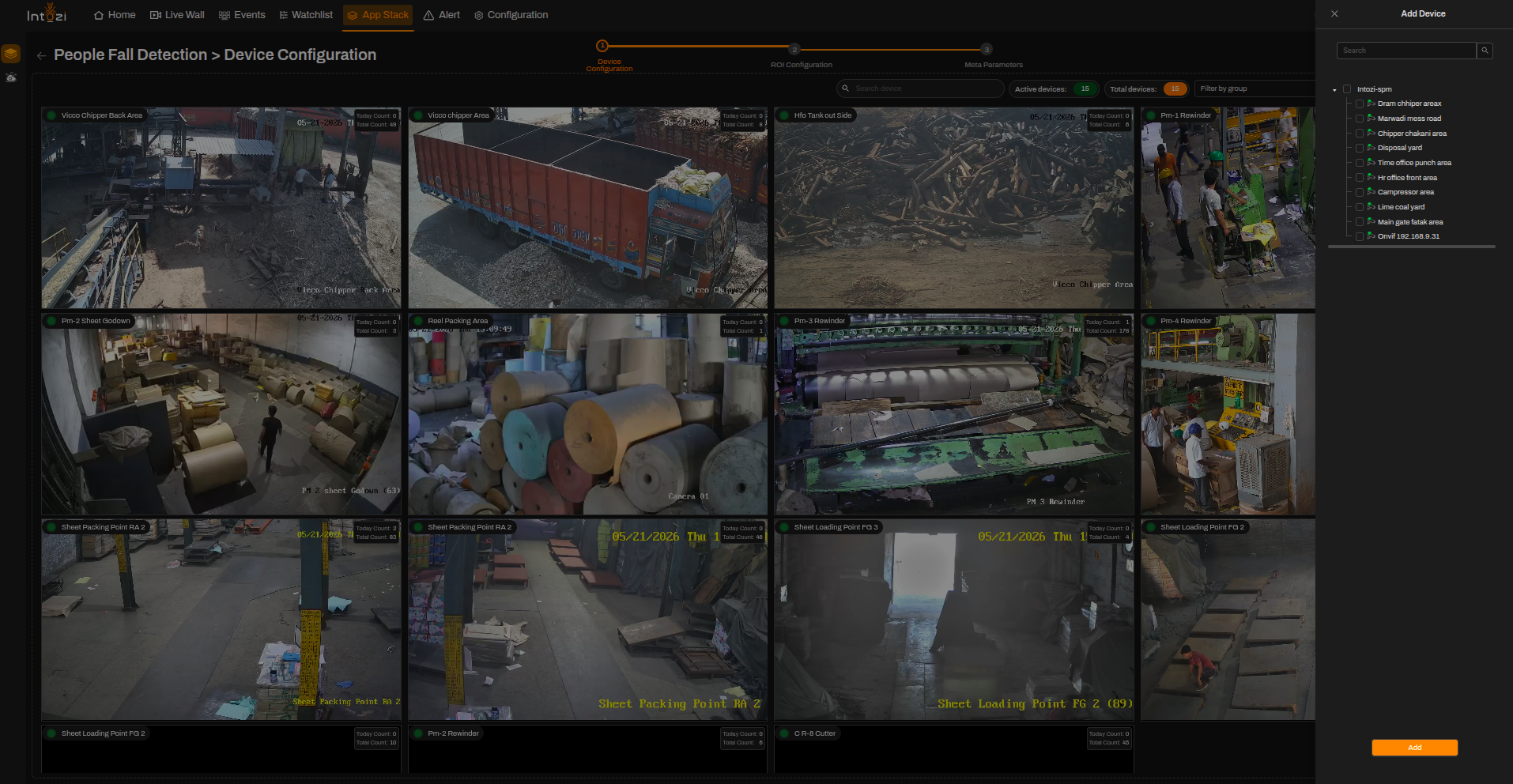
- When finished, continue to the next step (ROI Configuration).
Ensure all required cameras are connected properly before proceeding to ROI configuration.
3. ROI (Region of Interest) Configuration
All devices added during the device configuration step appear here so you can draw ROIs on the correct feeds.
- Select the device you want to configure.
- Click Add ROI (top right of the ROI Configuration page).
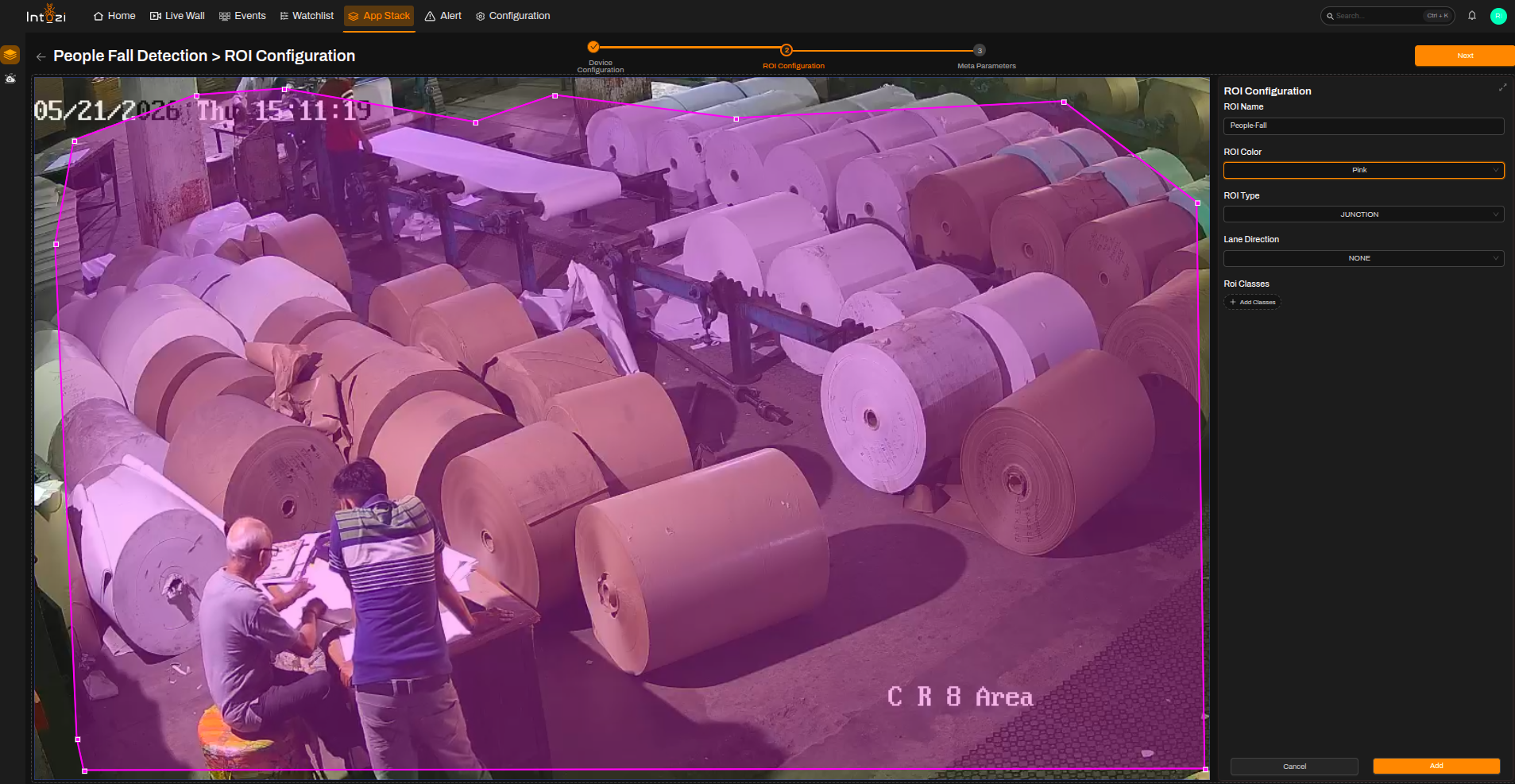
Fill in ROI Details
| Field | Guidance |
|---|---|
| ROI Name | Enter the name of the region of interest (ROI). |
| ROI Color | Choose the color for the ROI. |
| ROI Type | Select Junction as the ROI type. |
| ROI Classes | Not required. |
4. Meta Parameters Configuration
After configuring the ROI, navigate to the Meta Parameters page.
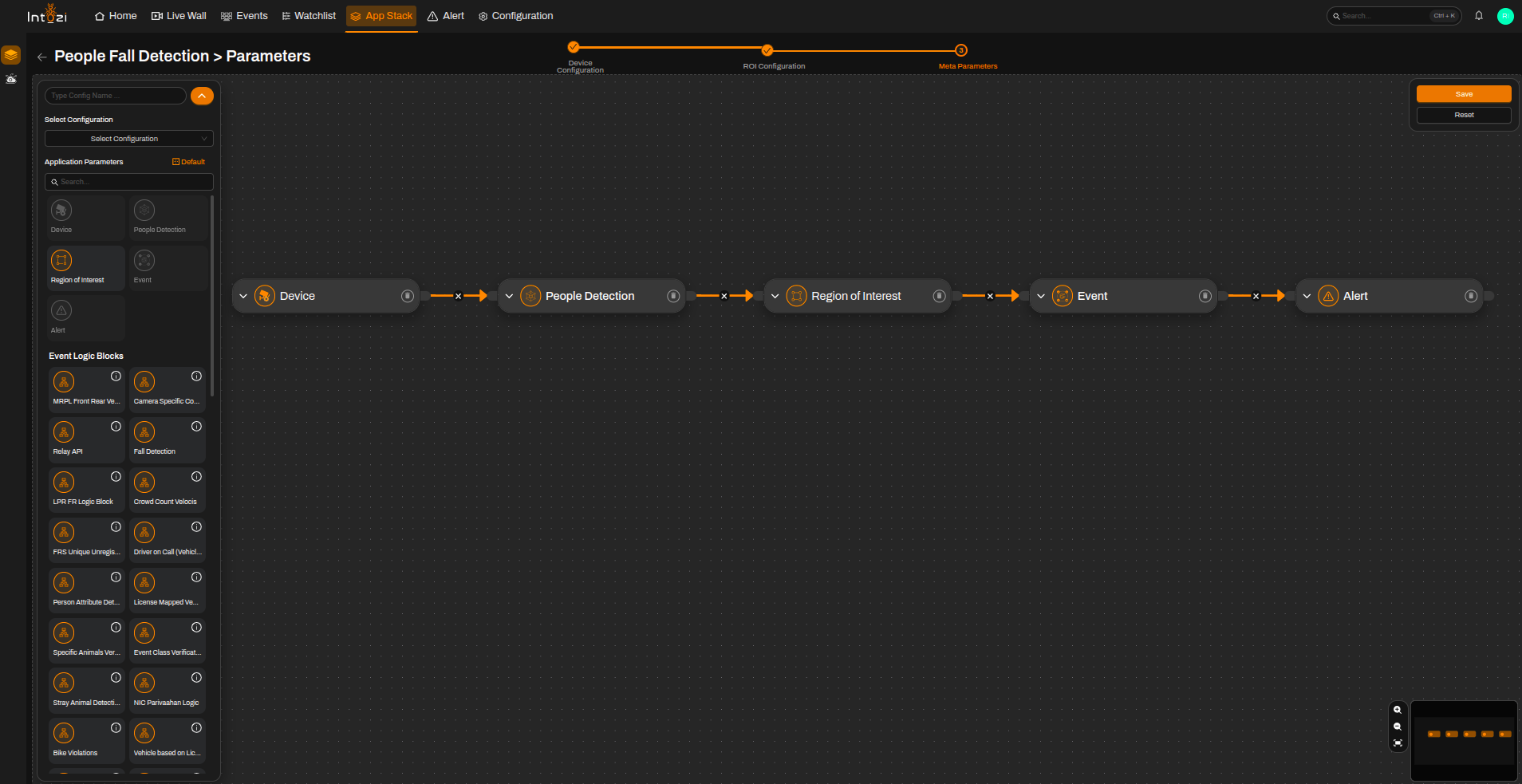
You can either:
- Use the default configuration, or
- Create a new custom configuration.
Default Configuration Nodes
A default configuration typically includes the following modules:
- Device
- People Detection
- Region of Interest (ROI)
- Event
- Alert
5. Device Node Settings
Select the required device and configure the following settings.
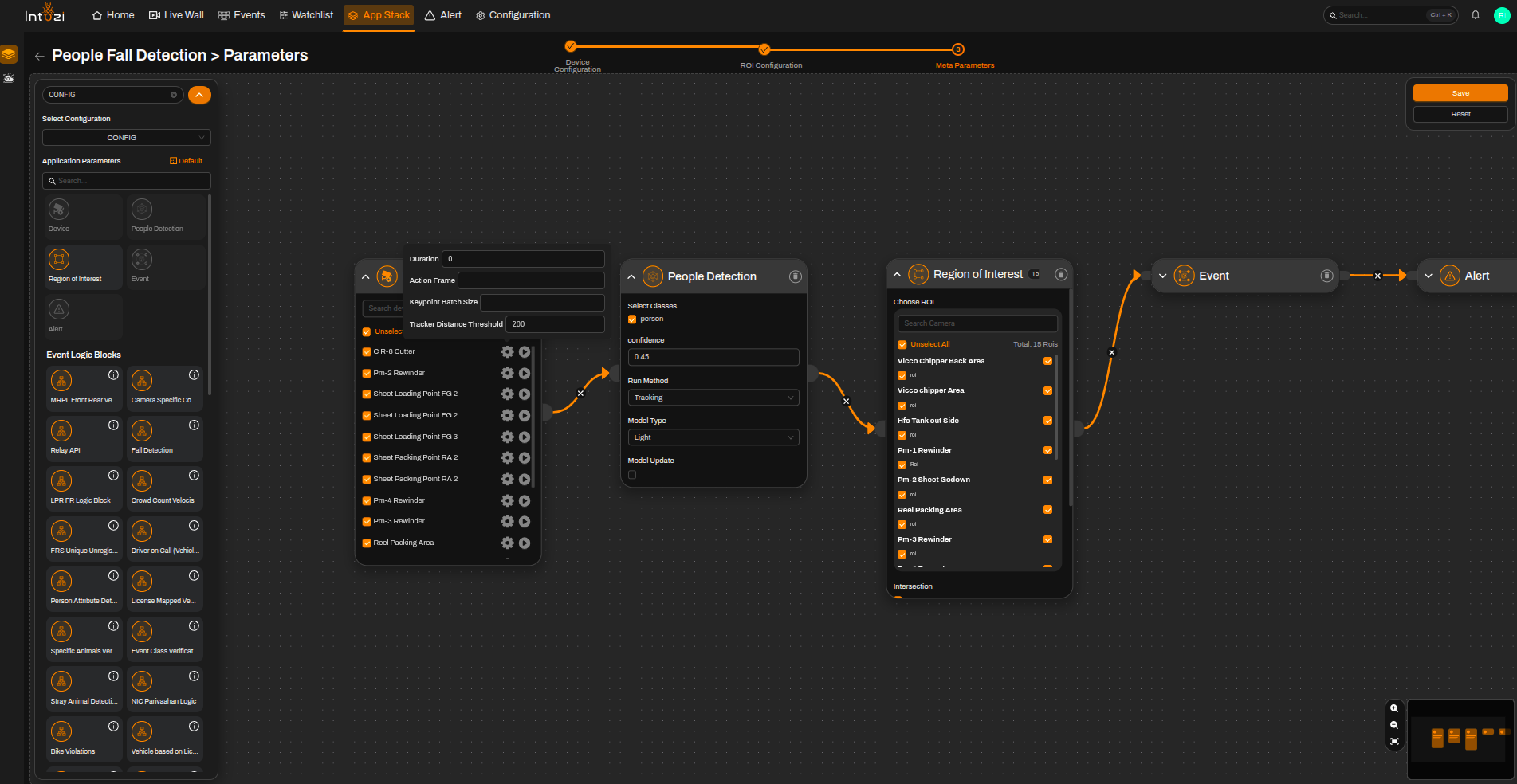
Available Settings
Duration
| Value | Behavior |
|---|---|
| 0 | Detects events in every frame |
| Any other value | Defines the time interval after which the same camera event will be generated again |
Action Frame
- Keep at the default setting.
Keypoint Batch Size
- Keep at the default setting.
Tracker Distance Threshold
- Keep at the default setting.
Currently, VLM is being used to fine-tune People Fall Detection results. It is recommended to keep these parameters at their default values.
5.1 People Detection Threshold
- Default value: 0.45
- Can be adjusted according to deployment scenarios and camera conditions.
6. Final Configuration
- Select all required devices.
- Configure the required device parameters.
- Select the corresponding ROIs.
- Enter a configuration name.
- Select the hardware type (CPU or GPU).
- Configure batch size if required.
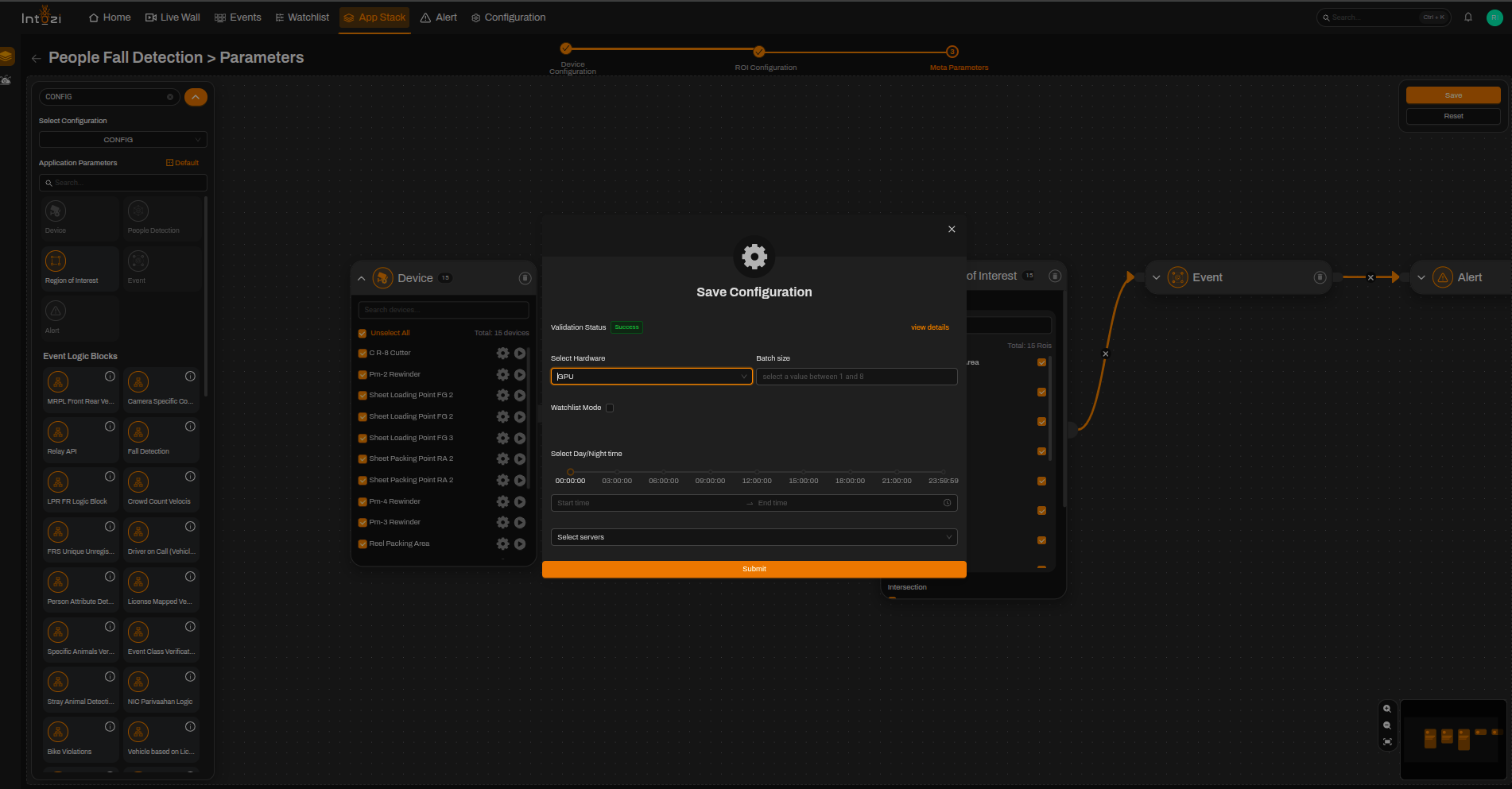
When everything is configured, click Save.
Conclusion
The People Fall Detection application helps automate human fall incident monitoring using configurable ROI settings, people detection thresholds, and hardware acceleration options.
By properly configuring devices, ROIs, and meta parameters, users can achieve accurate and efficient real-time fall detection for safety and monitoring applications.