Automatic Number Plate Recognition (ANPR)
Automatic Number Plate Recognition (ANPR) is used to detect and read vehicle number plates automatically. This guide walks through opening the ANPR application in App Stack, configuring devices and ROIs, and setting Meta Parameters for a typical deployment.
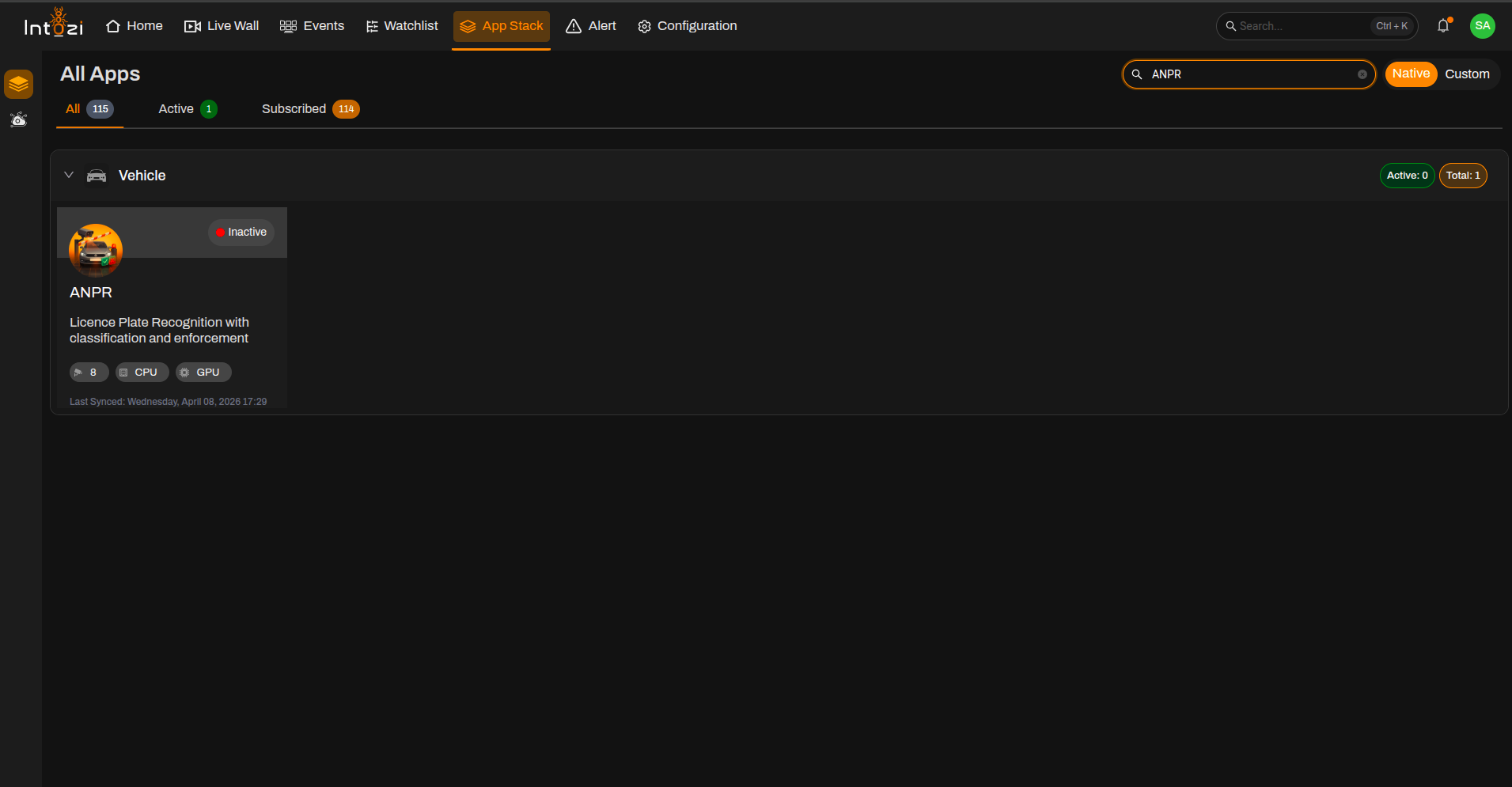
1. Finding the ANPR Application in App Stack
- Open App Stack on the platform.
- Use the search bar (usually at the top right of the dashboard).
- Enter ANPR.
- In the results, click once on the application to open it.
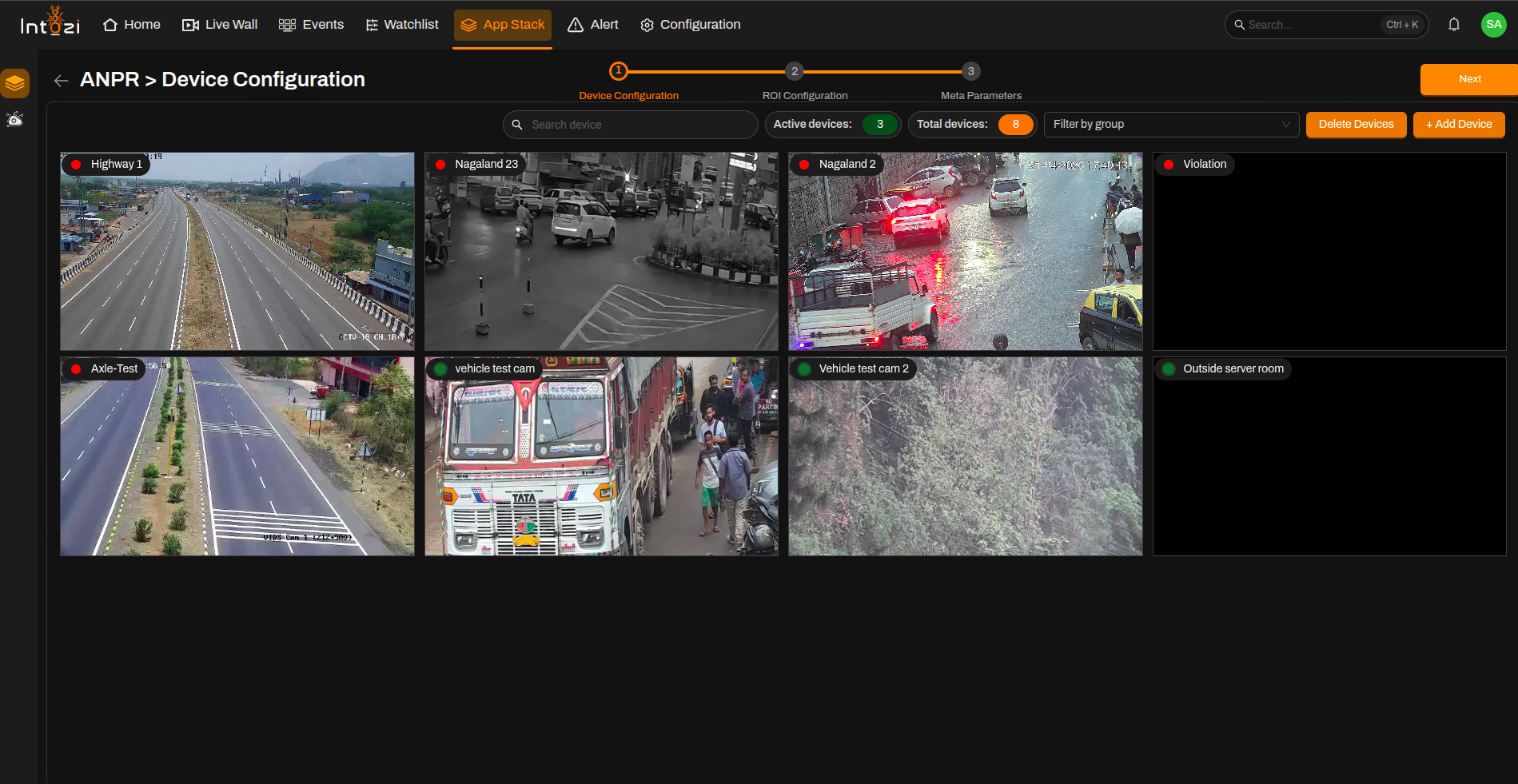
2. Device Configuration
After the application opens, you are taken to the Device Configuration page.
- On the right side of the page, use the option to add a device and connect the cameras you need.
- When finished, continue to the next step (ROI Configuration).
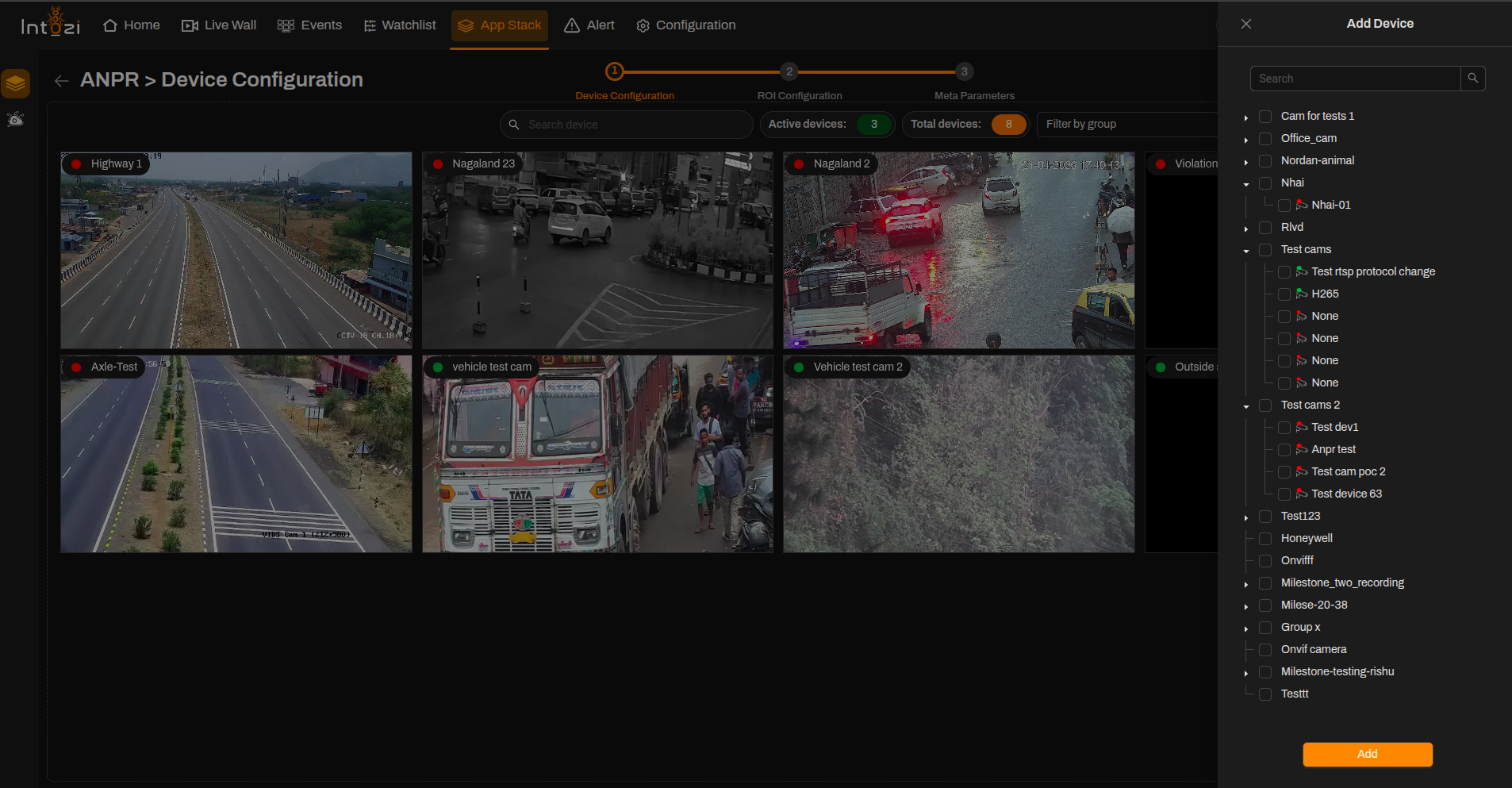
Ensure all required cameras are connected properly before proceeding to ROI configuration.
3. ROI (Region of Interest) Configuration
All devices you added during the device configuration step appear here so you can draw ROIs on the correct feeds.
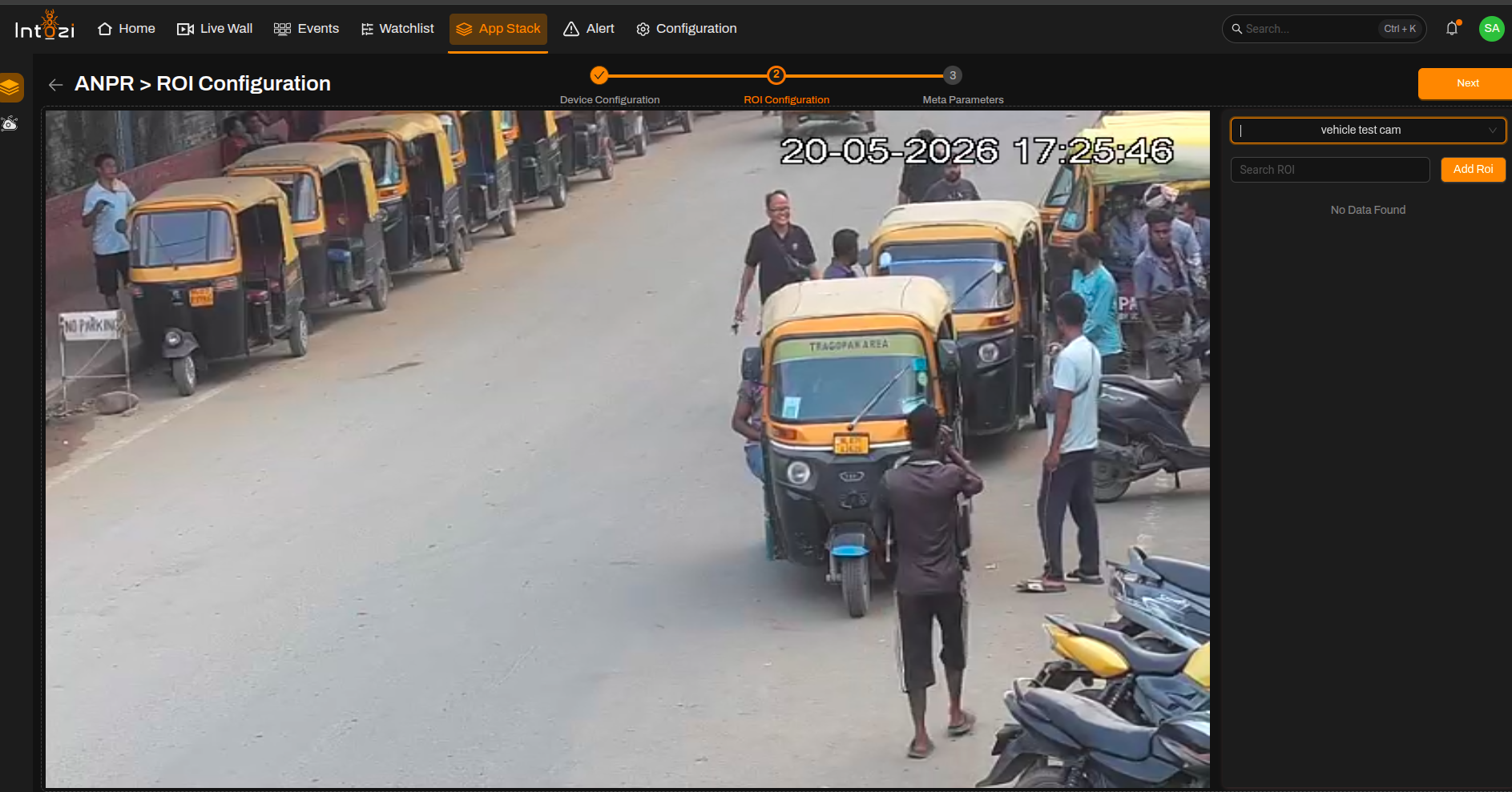
- Select the device you want to configure.
- Click Add ROI (top right of the ROI Configuration page).
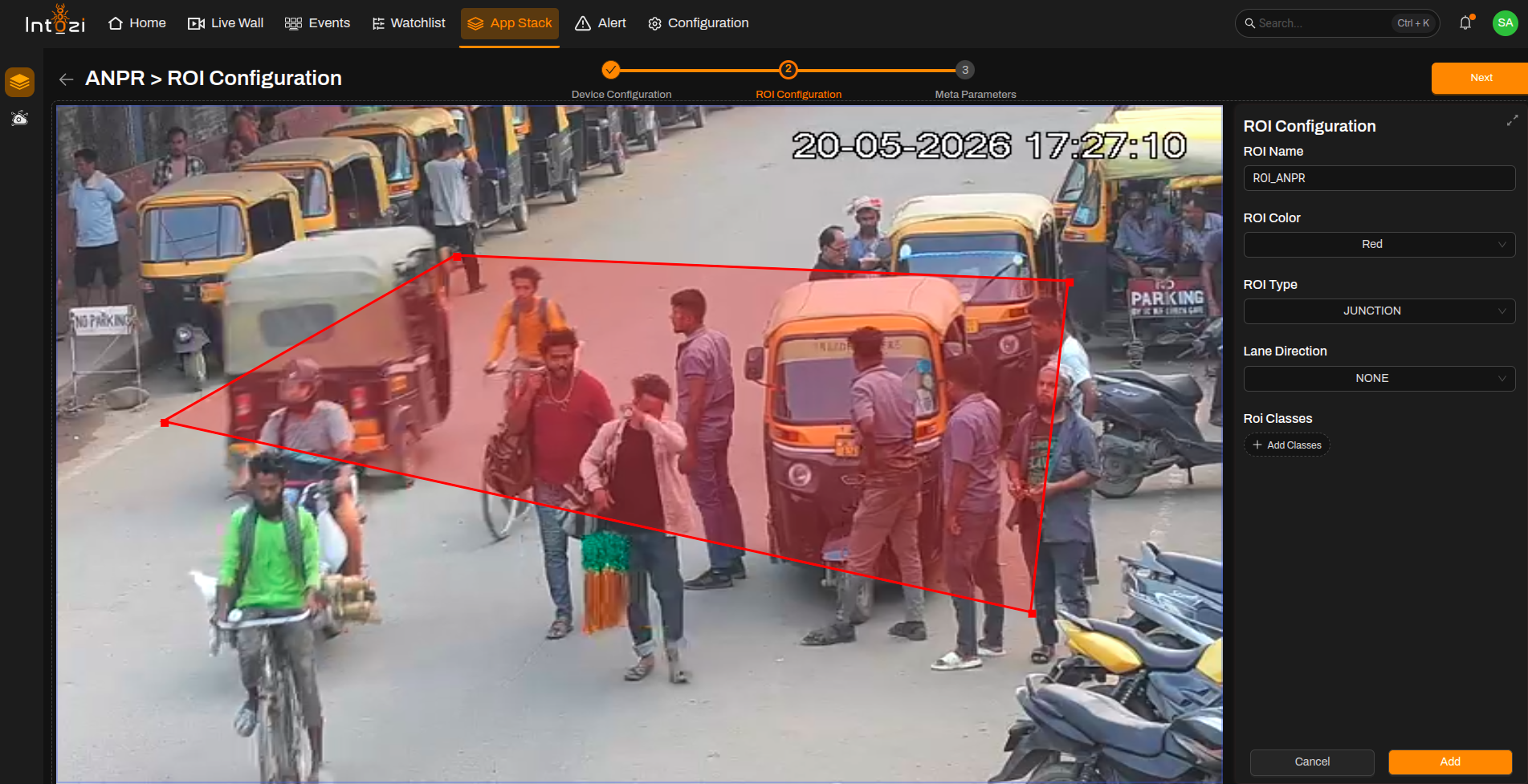
- Fill in the ROI details:
| Field | Guidance for ANPR |
|---|---|
| ROI Name | Enter a clear name for the region. |
| ROI Color | Pick a color to distinguish this ROI on the video. |
| ROI Type | Select Junction or Line (see note below). |
| Lane Direction | Set to None. |
| ROI Classes | Not required for ANPR. |
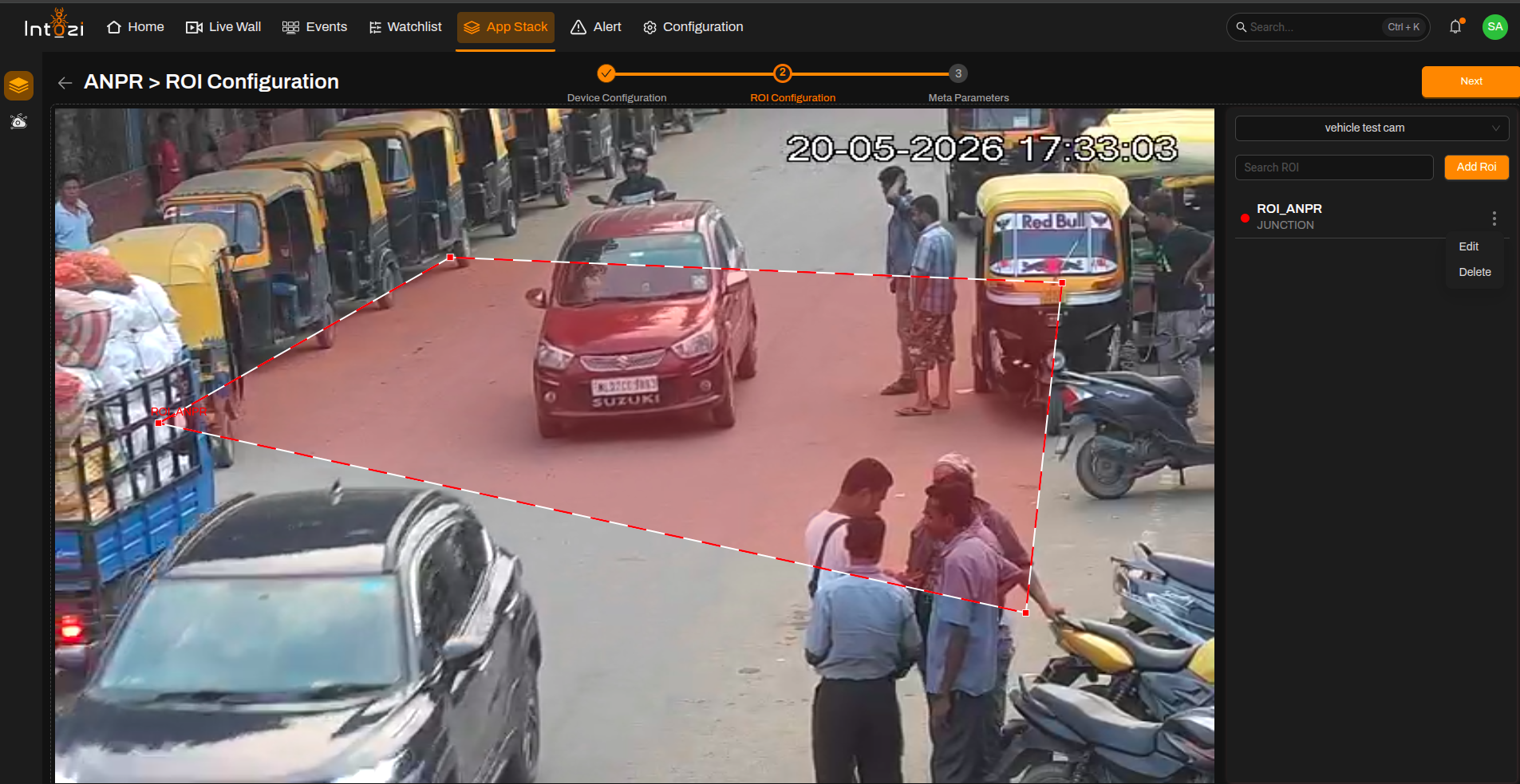
There are two ROI types used in the ANPR application:
Line ROI — Used for day-time detection scenarios.
Junction ROI — Used for night-time detection scenarios.
Note: You can update or delete an ROI by selecting it and using the corresponding actions.
4. Meta Parameters Configuration
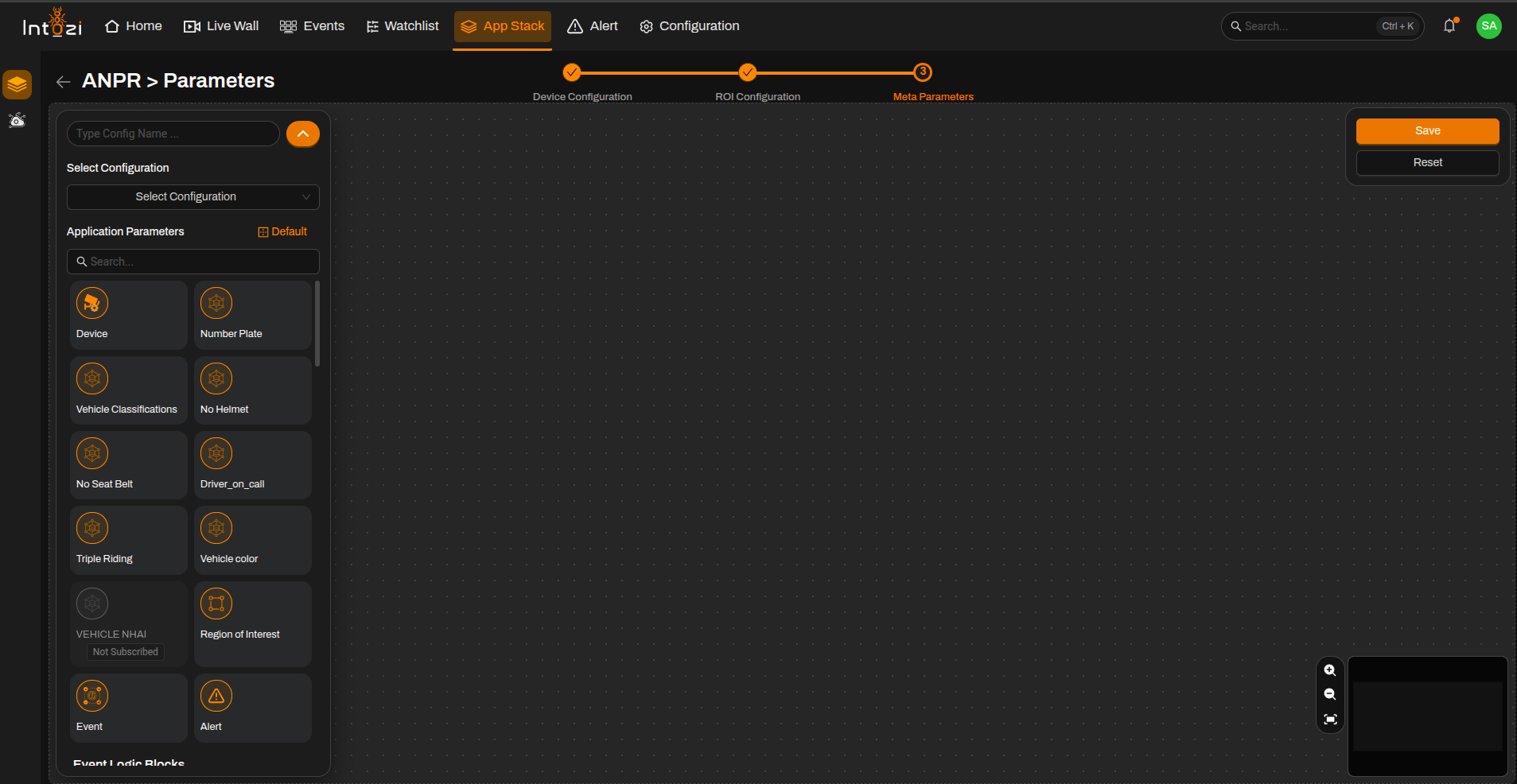
After ROI setup, open the Meta Parameters page.
4.1 Basic Configuration
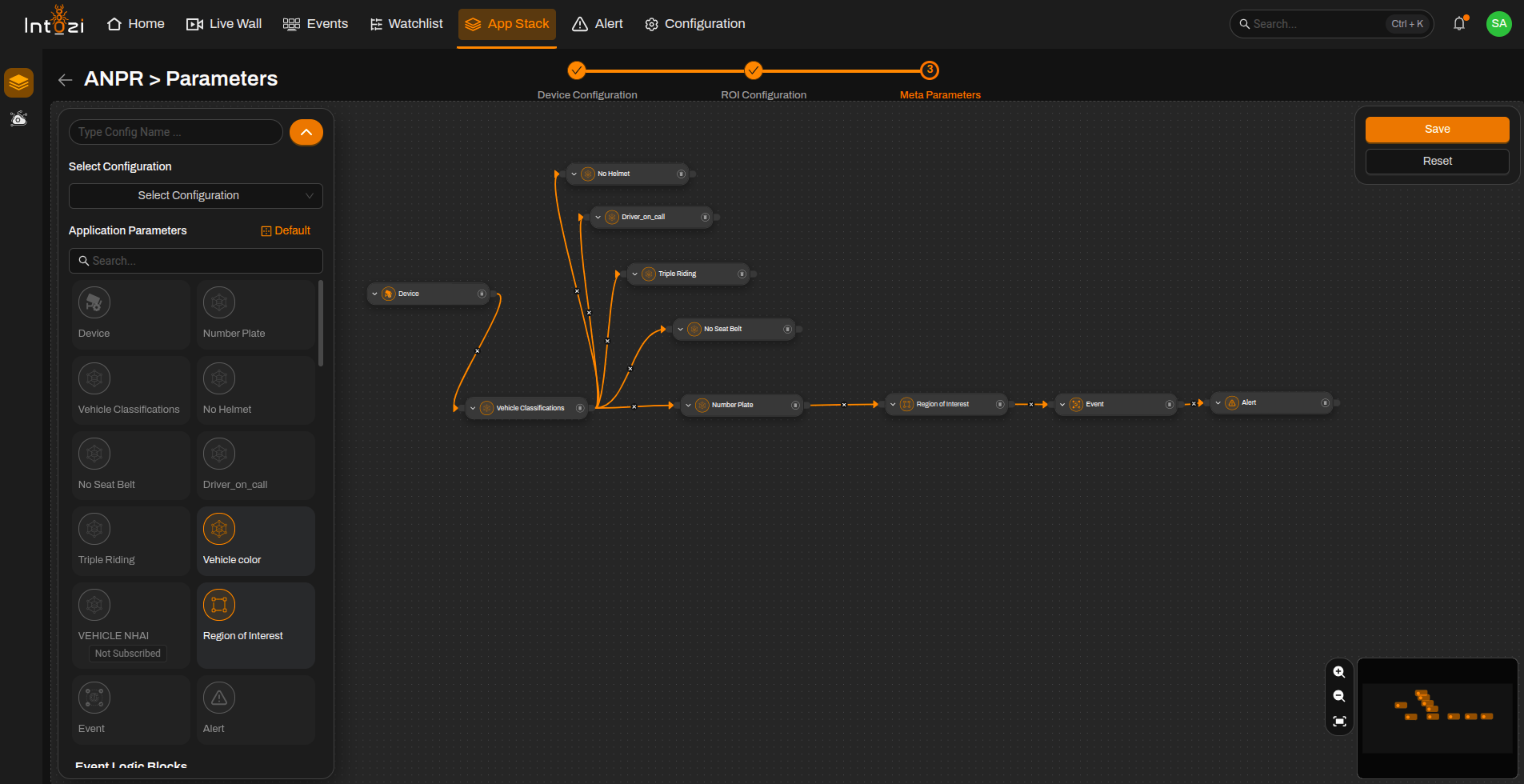
A standard ANPR setup includes the following modules in the flow:
- Device
- Vehicle Classification
- Number Plate Recognition
- Region of Interest (ROI)
- Event
- Alert
These components are sufficient for standard ANPR operation.
4.2 Violation Detection (Optional)
If you need to configure the system for traffic violations, additional modules are available:
- No Seatbelt Detection
- No Helmet Detection
- Triple Riding Detection
- Driver on Call Detection
The default confidence value for violation nodes is 0.45. This can be adjusted based on the camera's field of view or result observation.
4.3 Device Module
Click on the Device node and select the required device.
Color Detection
| Value | Behavior |
|---|---|
| 0 | Vehicle color will not be displayed in events (default) |
| 1 | Vehicle color detection is enabled |
Note: For most deployments, keep this value at the default setting 0.
ANPR Discard Rule
| Value | Behavior |
|---|---|
| 0 | All detected events will be shown |
| 1 | Duplicate events will be discarded |
Model Update
| Value | Behavior |
|---|---|
| 0 | Default recommended setting |
4.4 Vehicle Classification Confidence
- The default confidence value is 0.45.
- Adjust if needed based on the camera's field of view.
4.5 Number Plate Confidence
- The default confidence value is 0.45.
- Adjust if needed based on the camera's field of view.
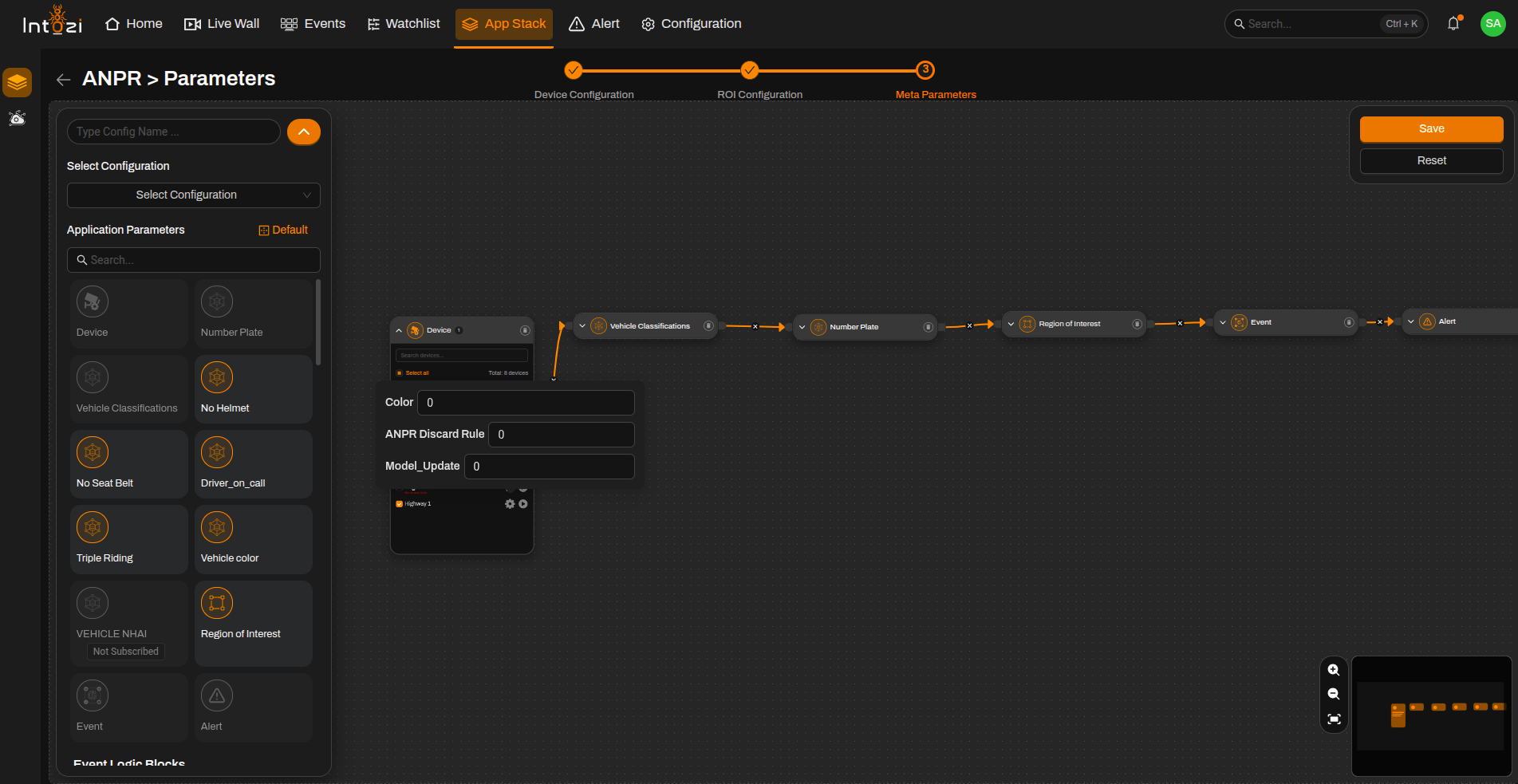
4.6 Final Configuration
- Select the required device and associated ROI.
- Configure parameters if needed.
- Enter a name for this configuration.
- Choose the hardware type (CPU or GPU) to match your server.
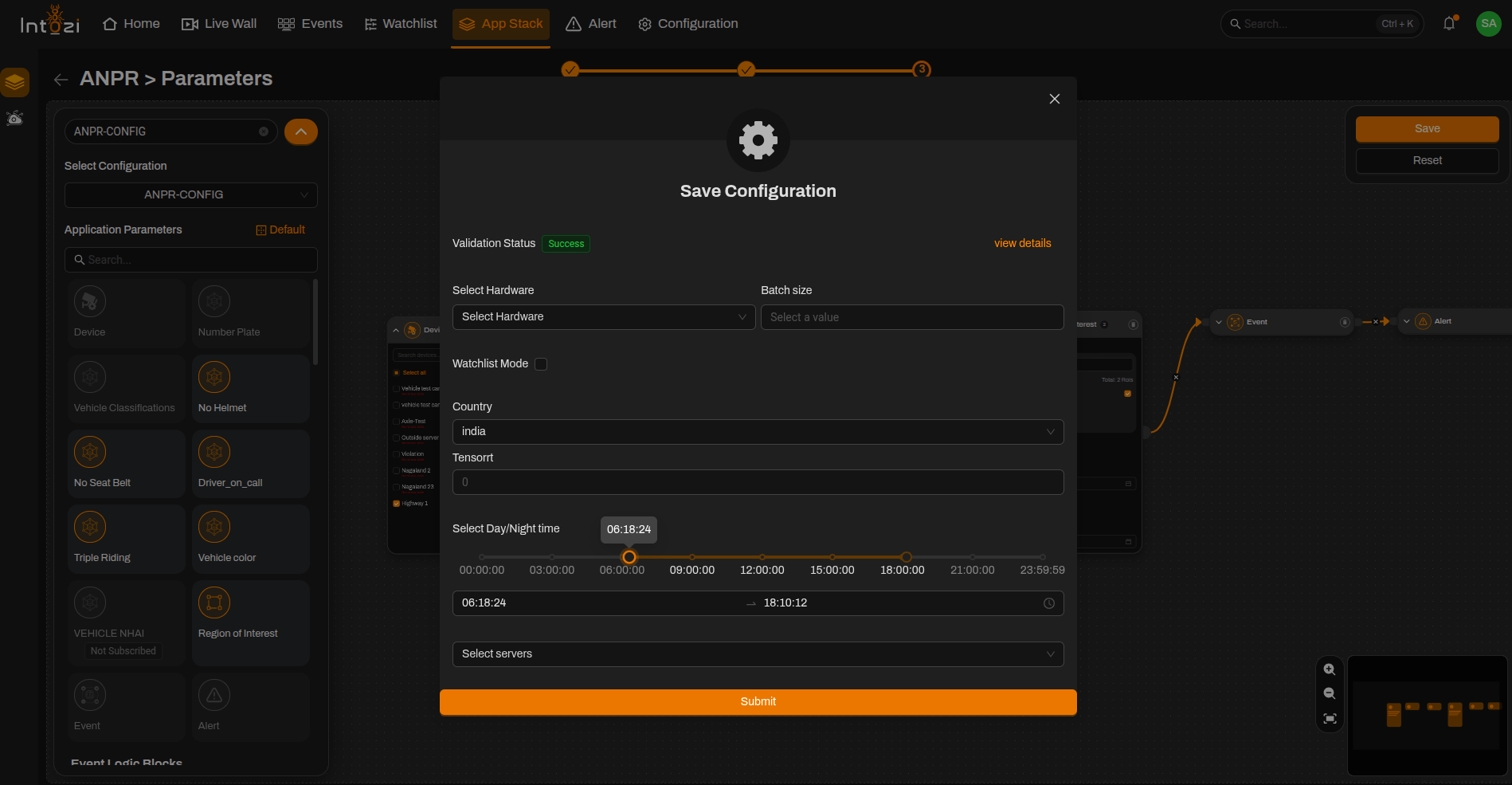
Country Selection
- Select the appropriate country based on the deployment region.
- The application supports multiple country formats for number plate recognition.
Scheduler Configuration
The Scheduler option is used to define operating modes based on time.
- Configure when the application should run in Day Mode.
- Configure when the application should run in Night Mode.
TensorRT Configuration
| Value | Option |
|---|---|
| 0 | Disabled (typical for x86 systems) |
| 1 | Enabled (e.g. NVIDIA Orin devices) |
When everything is set, click Save.
Conclusion
The ANPR application enables automated vehicle number plate detection with configurable ROI types, optional violation detection modules, and hardware acceleration options.
By properly configuring devices, ROIs, and meta parameters, users can achieve accurate and efficient number plate recognition for both day-time and night-time monitoring scenarios.