Stray Animal Detection
Stray Animal Detection is used to detect and generate events when animals enter a defined area. It can be configured to work with RGB cameras, thermal cameras, or both, depending on deployment requirements.
This guide explains how to configure the Stray Animal Detection application in App Stack.
1. Finding the Stray Animal Detection Application in App Stack
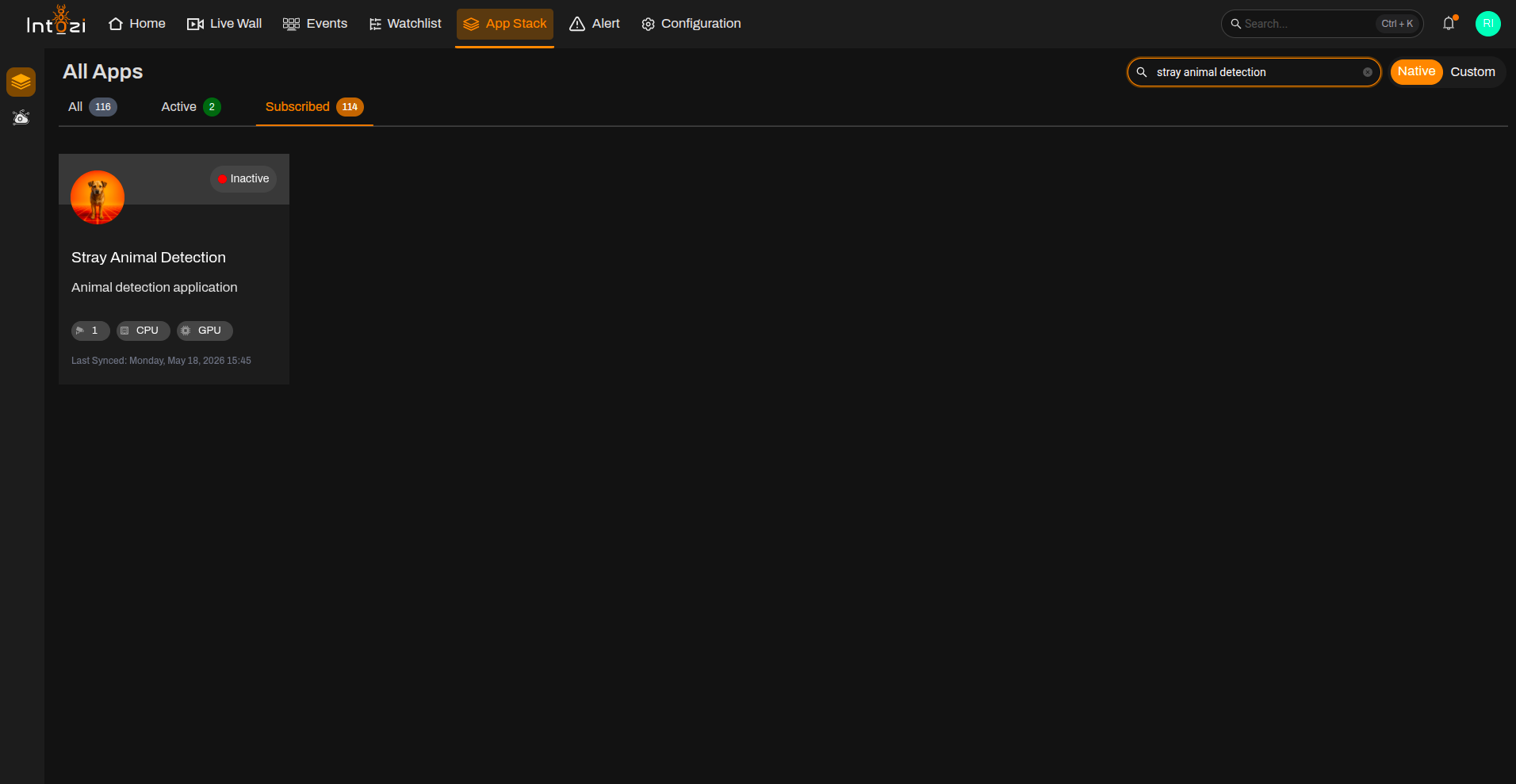
- Open App Stack on the platform.
- Use the search bar (usually at the top right of the dashboard).
- Enter Stray Animal Detection.
- In the results, click once on the application to open it.
2. Device Configuration
After the application opens, you will be directed to the Device Configuration page.
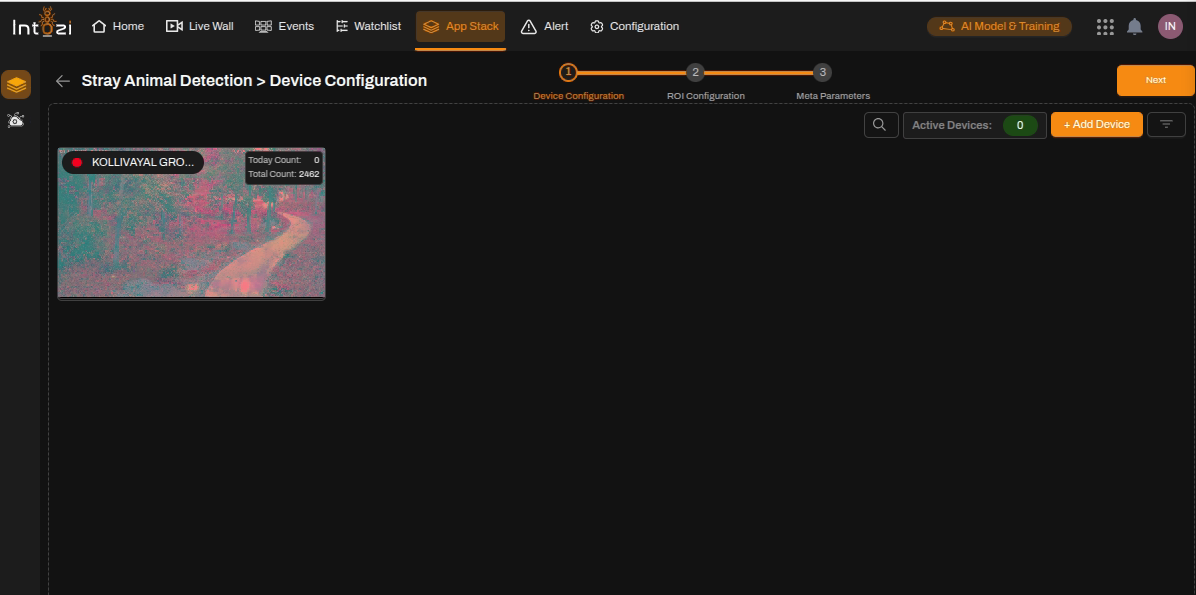
- On the right side of the page, click Add Device to add the required camera(s).
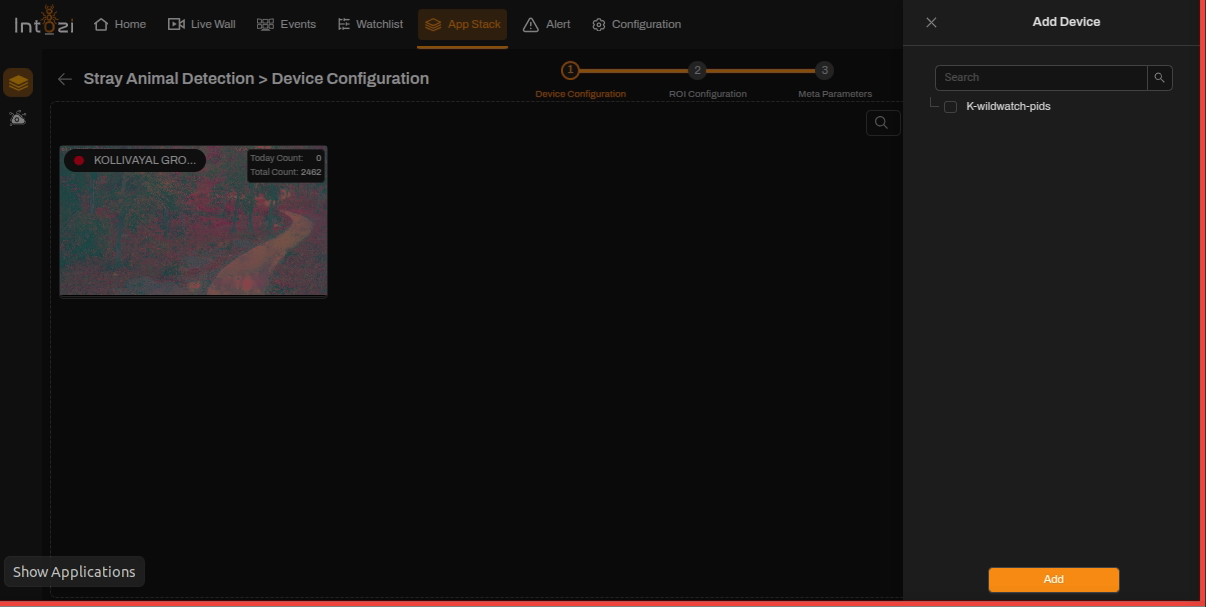
- Configure the required device settings.
- Once the devices are added, proceed to the ROI Configuration page.
Ensure all required cameras are added before proceeding to ROI configuration.
3. ROI (Region of Interest) Configuration
All added devices will be displayed on this page for ROI configuration.
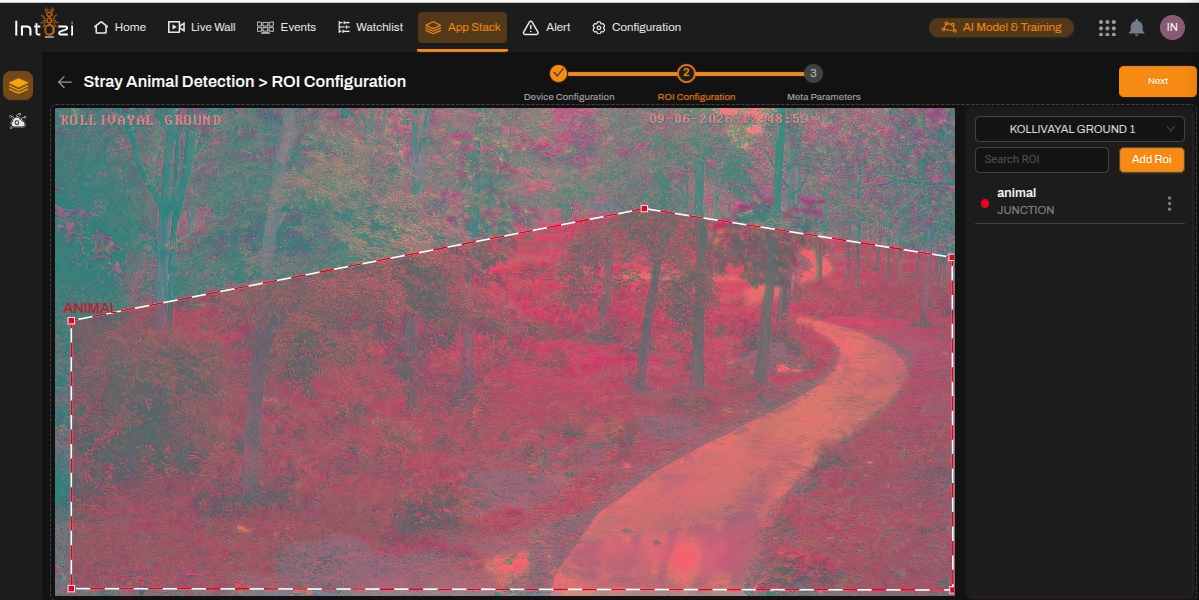
- Select the desired device.
- Click Add ROI (top right of the page).
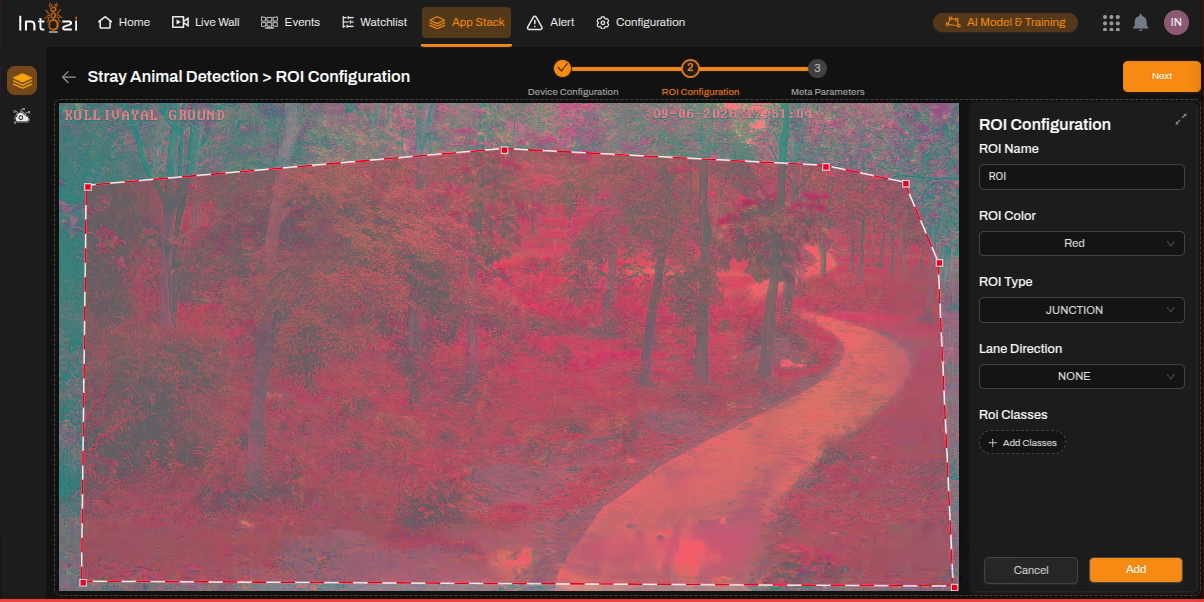
Fill in ROI Details
| Field | Guidance for Stray Animal Detection |
|---|---|
| ROI Name | Enter a meaningful name for the ROI. |
| ROI Color | Select a color for visualization. |
| ROI Type | Select Junction. |
| Lane Direction | Set to None. |
| ROI Classes | Not required. |
You can update or delete any ROI by selecting it and using the available options.
4. Meta Parameters Configuration
After ROI setup, navigate to the Meta Parameters page.
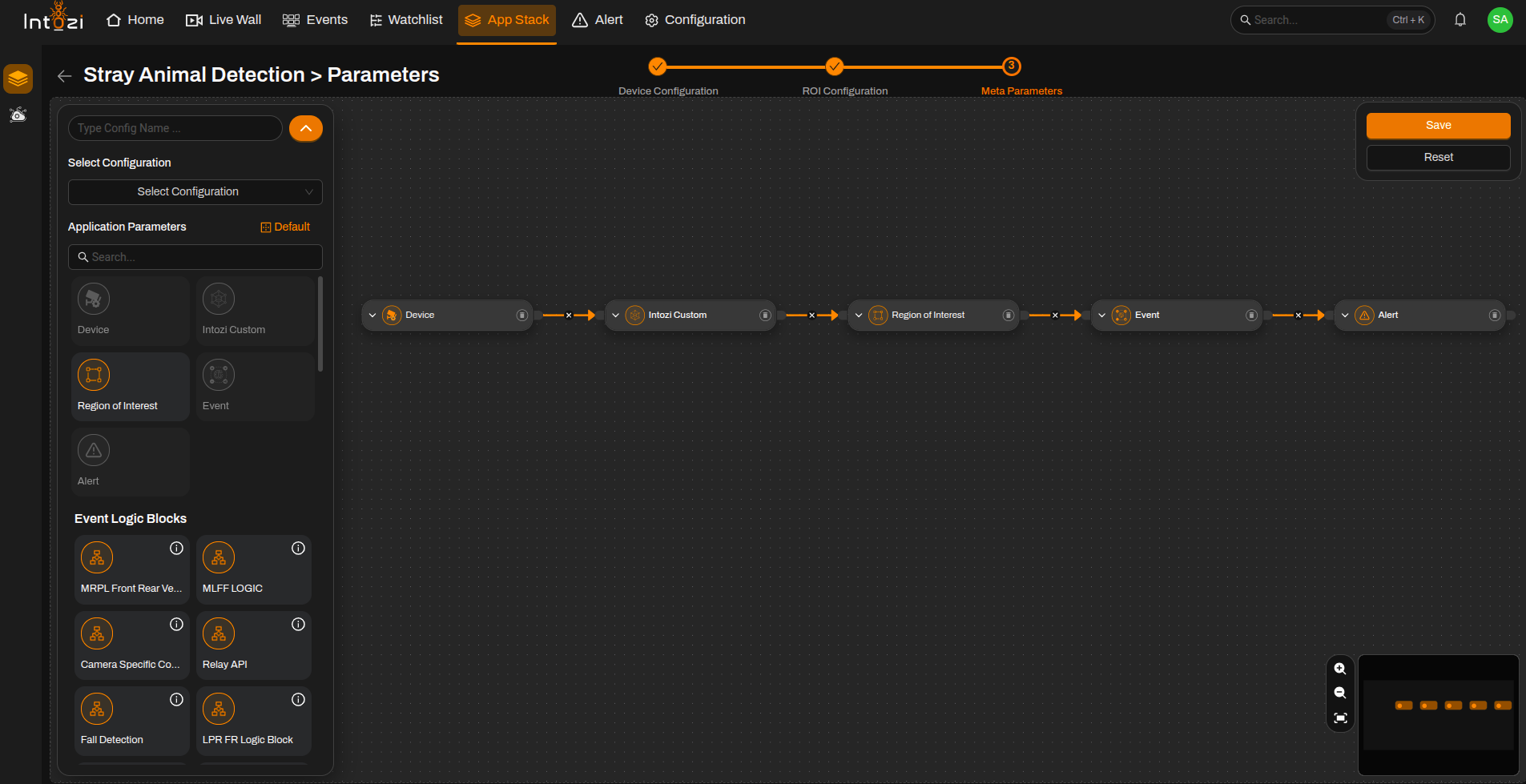
4.1 Default vs Custom Configuration
You can either:
- Use a default configuration, or
- Create a custom configuration.
Default Configuration Nodes
- Device
- Intozi Custom
- Region of Interest (ROI)
- Event
- Alert
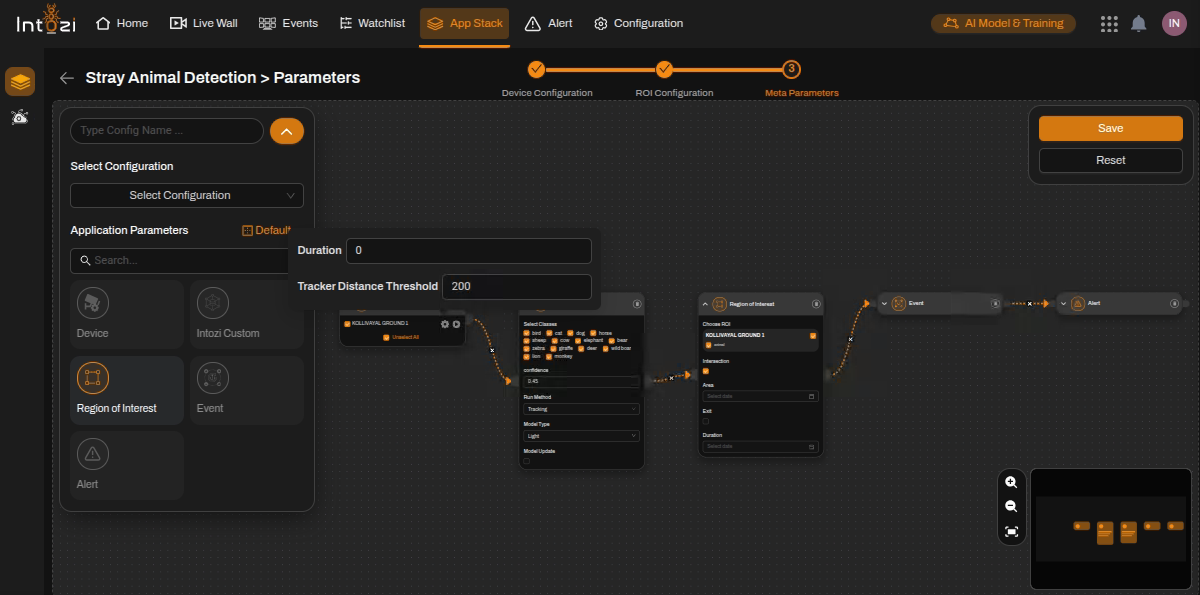
5. Device Node Settings
Select the required device and configure the following settings.
Duration
- Defines the time interval (in seconds) after which a new event can be generated for the same device.
- Configure the value according to project requirements.
Tracker Distance Threshold
- Used for tracking detected animals across frames.
- Default value: 200
- Can be adjusted according to deployment requirements.
The Tracker Distance Threshold helps maintain consistent tracking of animals between consecutive frames.
6. Intozi Custom Node Settings
Confidence Threshold
- Default value: 0.45
- Can be adjusted based on:
- Camera angle
- Lighting conditions
- Environmental factors
- Deployment requirements
Adjust the confidence threshold carefully to balance detection accuracy and false alarms.
7. Final Configuration
After selecting the required device and associated ROI:
- Enter a Configuration Name.
- Select the hardware type:
- CPU
- GPU
- Configure the Batch Size if required.
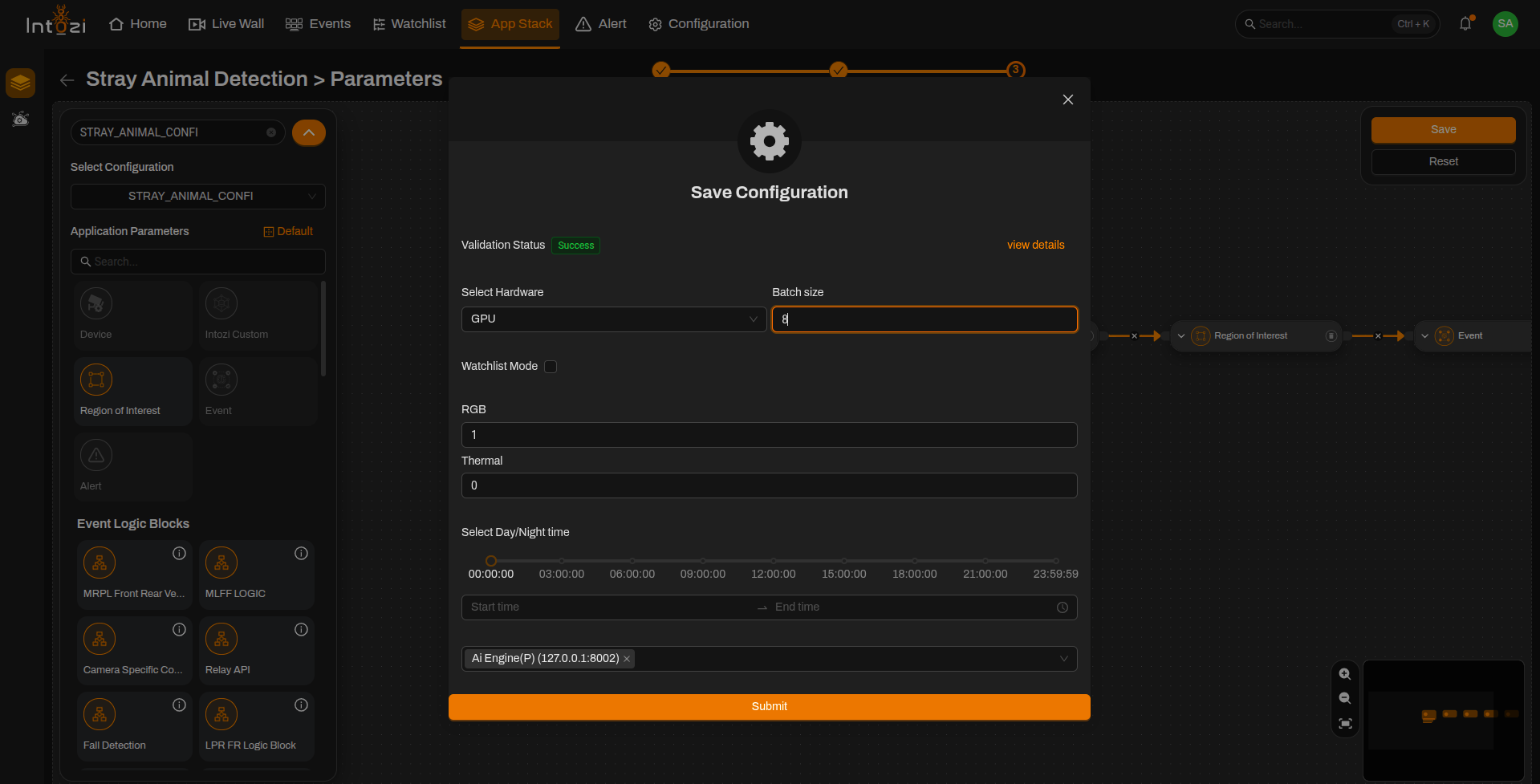
RGB
| Value | Description |
|---|---|
| 1 | Enable event generation from RGB cameras |
| 0 | Disable event generation from RGB cameras |
Thermal
| Value | Description |
|---|---|
| 1 | Enable event generation from thermal cameras |
| 0 | Disable event generation from thermal cameras |
Note
- Enable the appropriate option based on the camera type being used.
- Both options can be enabled if the deployment includes both RGB and thermal cameras.
For hybrid deployments, both RGB and Thermal event generation can be enabled simultaneously.
8. Analytics Server Selection
- Select the appropriate Analytics Server from the available list.
- Verify all configuration settings before saving.
9. Saving the Configuration
After verifying all settings:
- Confirm device selection.
- Verify ROI placement.
- Review Duration settings.
- Verify Tracker Distance Threshold.
- Confirm RGB/Thermal configuration.
- Review confidence threshold settings.
- Verify Analytics Server selection.
- Confirm hardware and batch size configuration.
Click Save Configuration to activate the deployment.
Conclusion
The Stray Animal Detection application provides automated monitoring of animal intrusion within defined areas. It supports both RGB and thermal camera deployments, making it suitable for perimeter protection, railway safety, industrial facilities, and wildlife monitoring applications.
By properly configuring ROI placement, camera source selection, tracking parameters, and confidence thresholds, users can achieve reliable stray animal detection and timely event generation.